Businesses in ChatGPT gives eligible companies a first-party view of how buyers meet them inside ChatGPT. It is OpenAI's new way for a company to claim its profile inside ChatGPT, keep its facts current, see aggregate data on how people find it and, for some U.S. businesses, publish an agent that talks to customers. For most companies, the right move this week is to claim and verify a profile, and then read the insights as one partial signal next to your own AI visibility tracking.
OpenAI launched the offering in beta on November 10, 2026. This guide is for business owners, marketing leaders and B2B teams who want the whole picture in one place. That includes teams whose category OpenAI hasn't opened to agents yet.
Businesses in ChatGPT series: Overview (this article) · Claim and verify · Measure visibility · B2B and services · Update business information · Create a Business Agent · Search-console comparison and history
The offering has three parts that people already mix up. Businesses in ChatGPT is the umbrella. Business Hub is where you manage your presence. Business Agent is the conversation a customer can have with your business. Each one gets its own explanation below, followed by what each part means for retail, service and B2B companies.
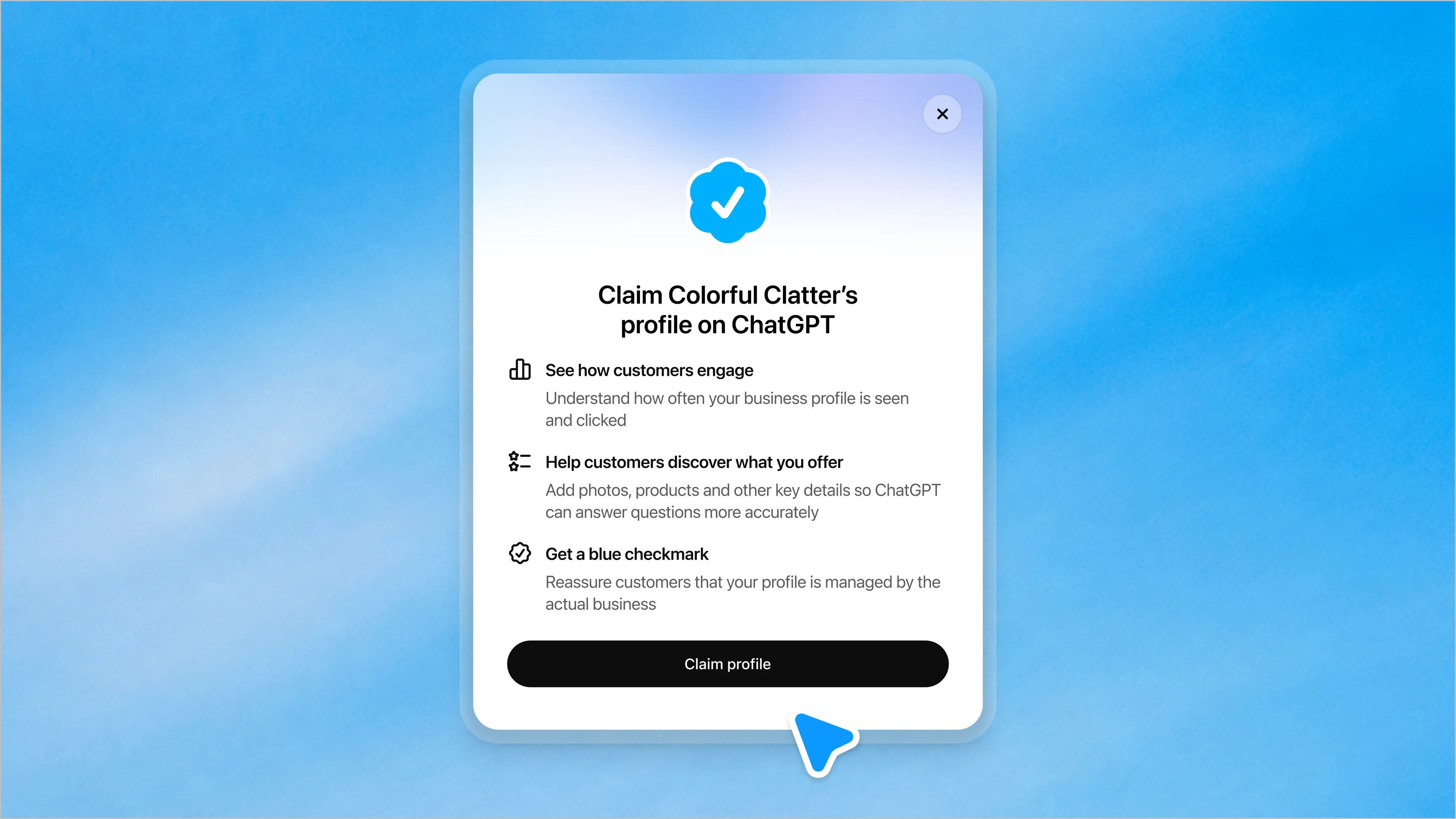
The claim screen connects information management, customer engagement and verified ownership. OpenAI’s launch illustration; not an account tested for this guide. Source: OpenAI, November 10.
What Businesses in ChatGPT is
Businesses in ChatGPT is a beta program that gives businesses a managed presence inside ChatGPT. The November 10 announcement presents it as a way to reach the 1.2 billion people OpenAI says use ChatGPT each week. The offering has two products, Business Hub and Business Agents.
OpenAI's launch post on X opens by calling the program "now in beta." It says businesses can claim their profile, manage their information and get engagement insights, and that eligible businesses can also build an agent. The product page adds the limits that matter most. ChatGPT keeps making its own recommendations and comparisons, and claiming a profile does not guarantee higher placement or more sales.
OpenAI's pages describe these features as live today:
- Profile claiming through Business Hub, for eligible businesses located where ChatGPT is available.
- Verified profile editing and aggregate insights after identity verification.
- Business Agents for eligible ecommerce and online service businesses in the United States.
- Shopify products already flowing into ChatGPT through Shopify Catalog.
OpenAI describes the following as coming later, with no dates attached:
- Expansion of Businesses in ChatGPT and Business Agents to more markets and business categories.
- Tools for organizations with more complex needs.
Two features carry no live or later label. Self-service product feeds and sponsoring a Business Agent as a ChatGPT Ads destination are described in the present tense, and neither the announcement nor the product page marks either as beta or general availability.
Business Hub manages the business's presence, Business Agent handles customer conversations, and the separate ChatGPT Business subscription serves employees.
How Businesses in ChatGPT, Business Hub and Business Agent fit together
Business Hub sits behind the scenes and Business Agent faces the customer. Businesses in ChatGPT is the name for both, plus the public profile customers see. The table below also includes ChatGPT Business, the workplace subscription, because its name is similar:
| Name | What it is | Who uses it |
|---|---|---|
| Businesses in ChatGPT | The overall beta program for business presence in ChatGPT, launched November 10, 2026 | Business owners and marketers, plus ChatGPT users who see the resulting profiles |
| Business Hub | The management area where you claim, verify, edit details, add product feeds, see insights and build an agent | Verified owners, authorized teammates and agencies the admin grants access |
| Business Agent | A labeled conversation, separate from ChatGPT's own answer, where a customer asks the business about products and policies | ChatGPT users who choose to start the chat; currently built by eligible U.S. ecommerce and online service businesses |
| ChatGPT Business | A paid workplace subscription that gives your employees ChatGPT, ChatGPT Work and Codex | Your internal team |
How it differs from the ChatGPT Business subscription
ChatGPT Business is a tool your employees use at work. Businesses in ChatGPT lets you manage your company's public profile. The two share almost a name and nothing else.
ChatGPT Business was called ChatGPT Team until August 29, 2025, when OpenAI renamed it with no change to features or pricing. OpenAI's billing help page lists Standard seats at $25 per user per month on a monthly plan, or $20 per user per month billed annually, with a two-seat minimum. Claiming an eligible business in Business Hub requires no Ads account and no ChatGPT Enterprise agreement.
Plenty of companies will end up with both, one for the marketing team's daily work and one for the brand's public profile. Keep them separate in budget conversations, because buying seats doesn't claim your profile, and claiming your profile doesn't give anyone seats.
Why it matters for how buyers find and evaluate businesses
Buyers are already using AI assistants to form shortlists, and this launch gives eligible businesses a first-party view of activity inside ChatGPT. A G2 survey of 1,076 B2B software buyers and decision-makers, fielded in March 2026, found that 51% start research with an AI chatbot more often than with Google, up from 29% in April 2025. G2 sells vendor visibility, so read the figure as directional. A more neutral source points the same way. Gartner's survey of 646 B2B buyers, run August through September 2025, found 45% used AI during a recent purchase.
Businesses in ChatGPT changes three moments in that journey. At discovery, ChatGPT names or cites a business inside an answer. At evaluation, the buyer can click through to a profile with products and details the business verified. At engagement, the buyer can ask the business's own agent follow-up questions without leaving ChatGPT.
We think the evaluation moment matters most for B2B marketers. A buyer who opens your profile has already been told you might fit, and what they read next is now partly yours to shape. The selection step, whether ChatGPT names you at all, can draw on the wider web. Claiming a profile does not give you control over that step.
How the experience works for customers
A customer usually meets a business inside an ordinary ChatGPT answer. When a business appears in a response, the customer can click through to its ChatGPT profile. OpenAI's example profile shows products, business details, a blue check and two buttons, one to start a chat and one to visit the website.
OpenAI's launch example is a retailer called Colorful Clatter. A customer asks its Business Agent a gift question and gets product recommendations drawn from the business's own information. Another example in the announcement shows a shopper comparing two products and asking the agent about the differences and fit.
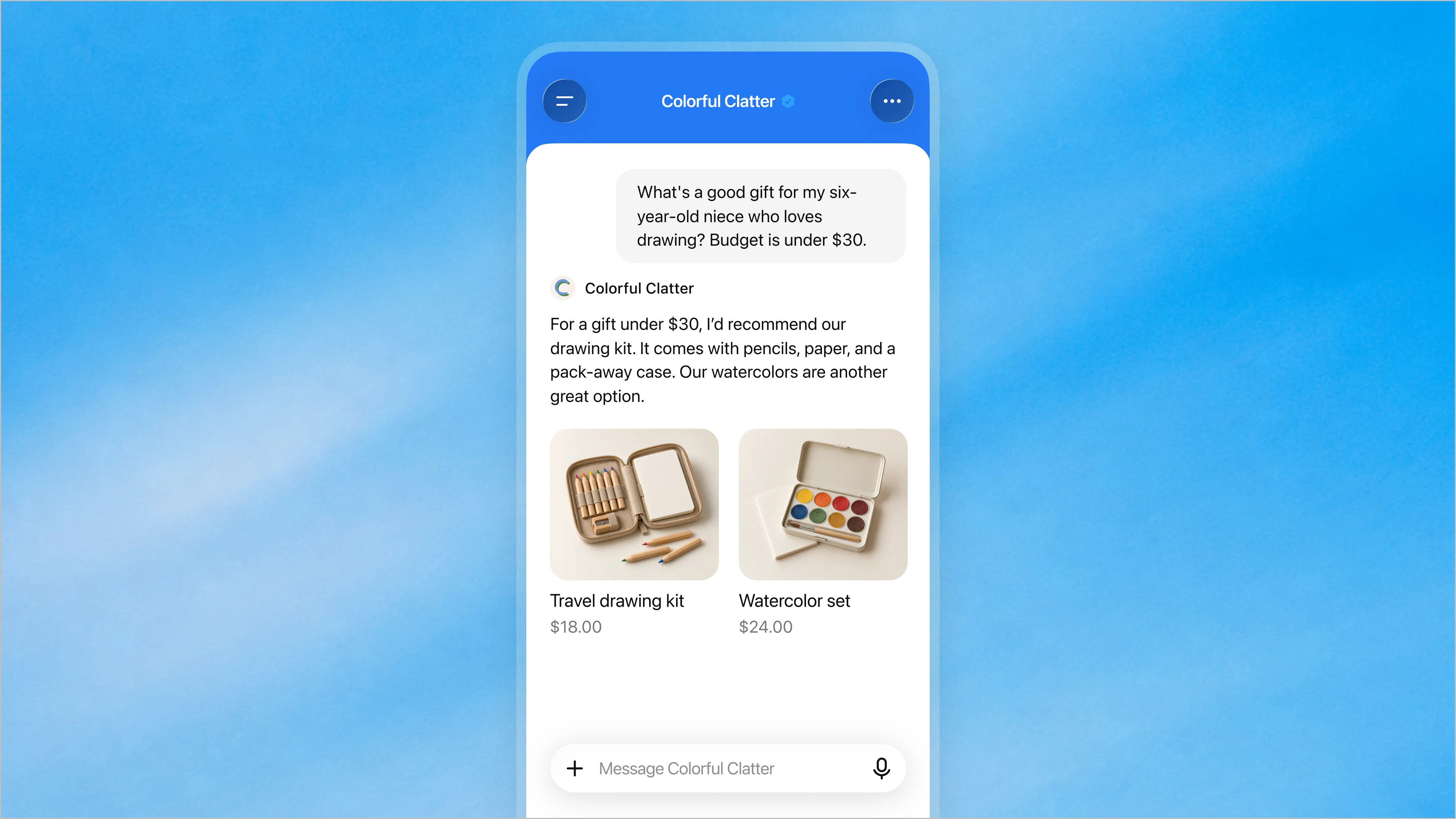
Source: OpenAI. Illustrative product experience; not an independently tested customer outcome.
- Retail and ecommerce lead because the plumbing already exists. Eligible Shopify merchant products already reach ChatGPT through Shopify Catalog, with current details, pricing and availability shared automatically. Retailers outside Shopify can upload a product feed with pricing and availability once verified.
- Physical stores show up differently. For a local business, Business Hub counts a mention whenever ChatGPT shows a result for that location, even if the customer never opens the listing. Local stores and restaurants can currently claim only an existing U.S. listing, and each location is managed separately from the main brand.
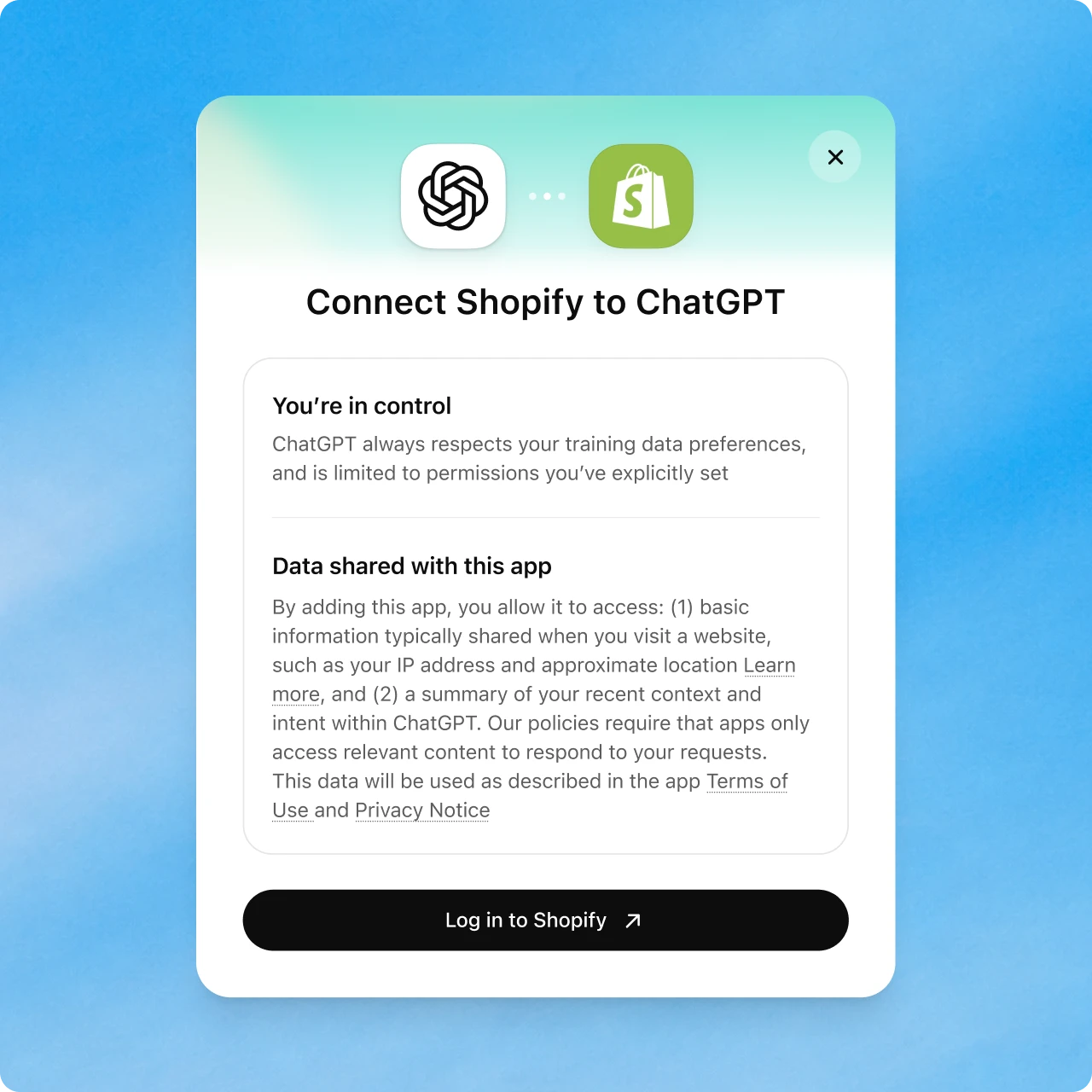
Official Shopify connection example. Eligibility and the permissions shown during setup still govern the actual account. Source: OpenAI.
The purchase still happens off ChatGPT. The current agent explains products and policies and links to the business's website, where the customer buys, books or checks an order.
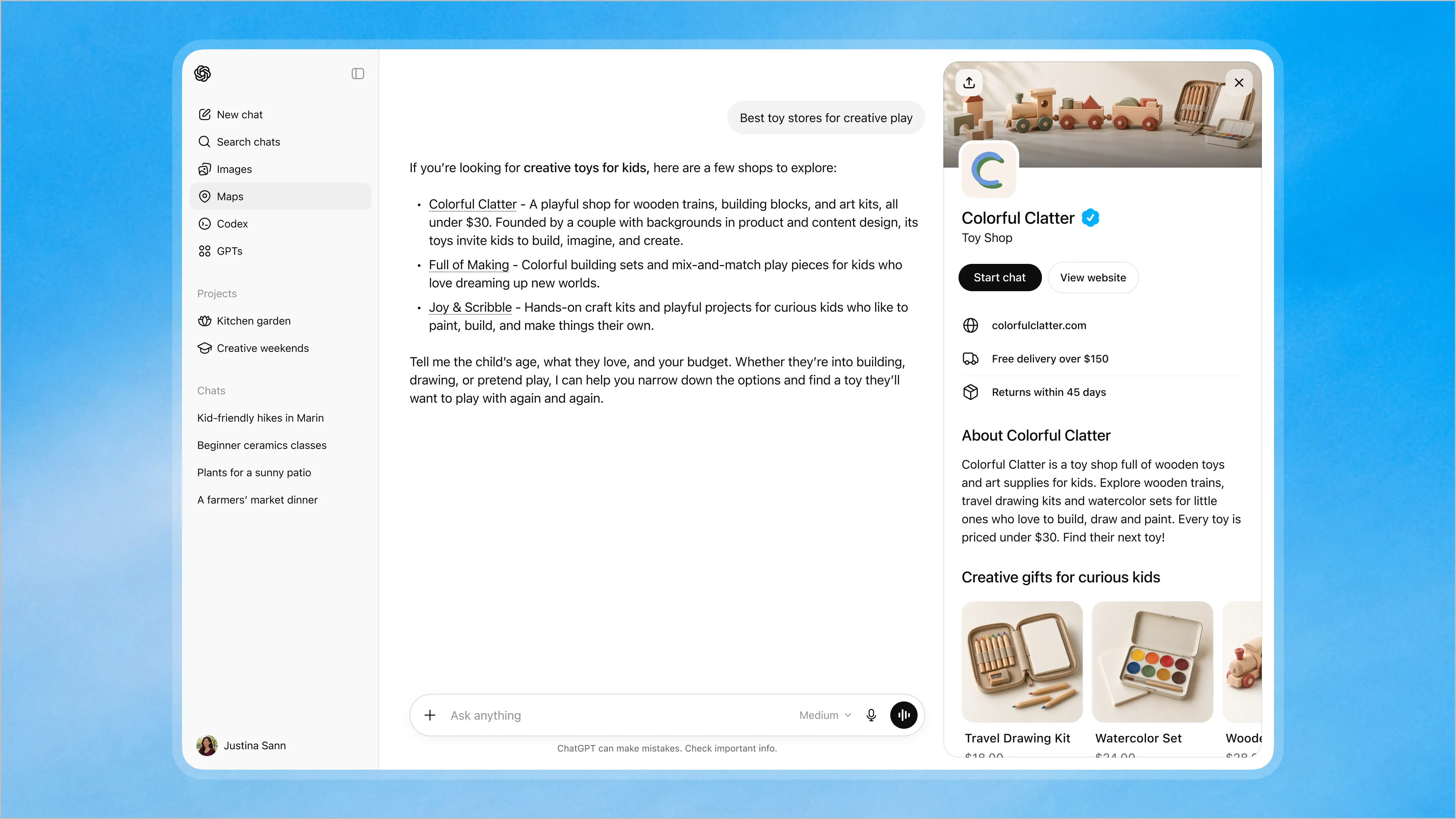
The business profile presents a route to the agent conversation alongside a route to the website. OpenAI’s product illustration. Source: OpenAI, November 10.
For the full ownership and identity-check process, use our claim and verification walkthrough.
How to claim and verify your business
Claiming happens in two stages, and many first-time users miss that. You first prove you're connected to the business. You then pass an identity check with Persona before most features open. The setup documentation lays out the flow:
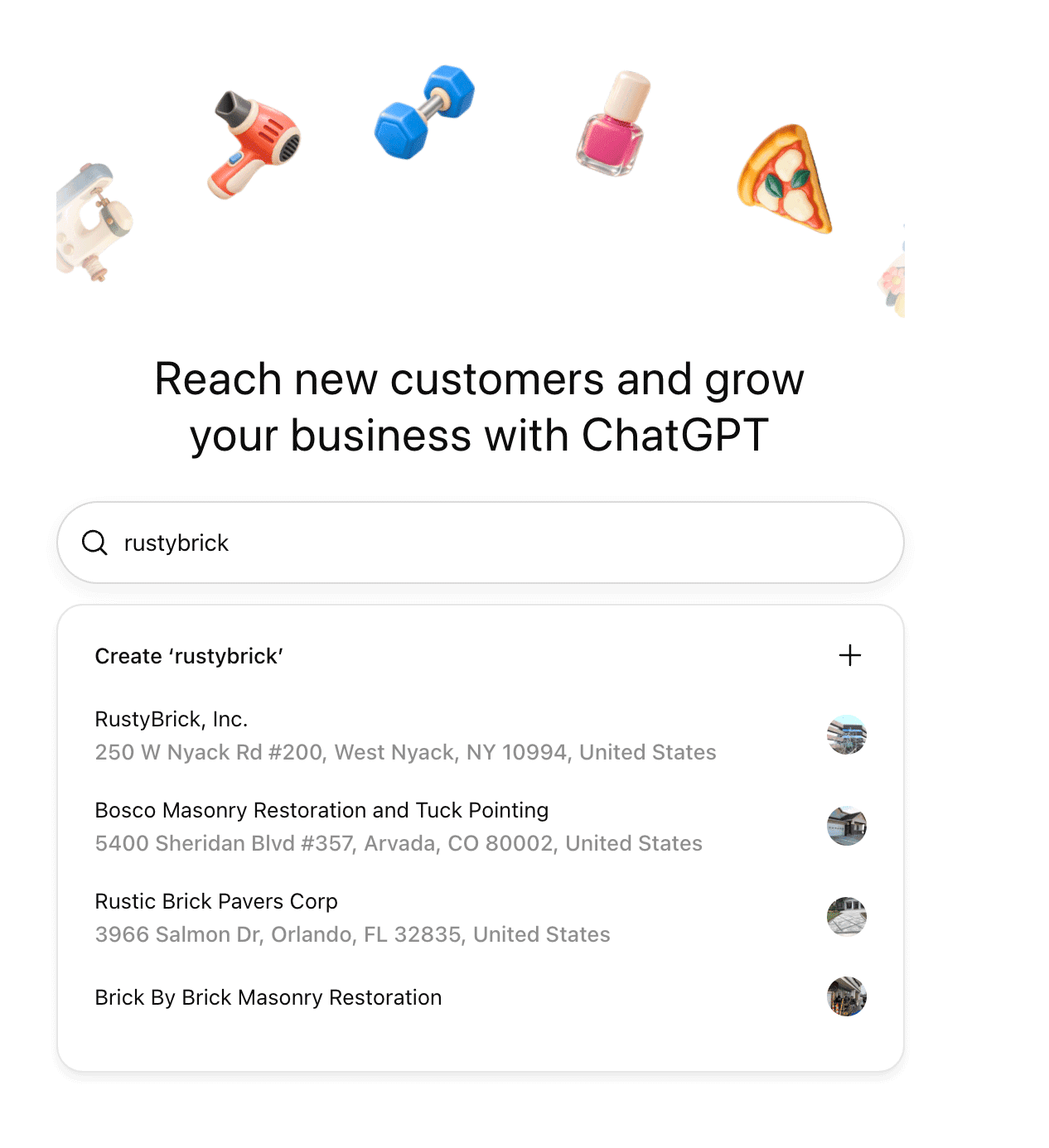
Finding the correct business listing is distinct from proving that you may manage it. Screenshot published by Barry Schwartz. Source: Search Engine Roundtable, November 10.
- Sign in to ChatGPT, open Business Hub from the sidebar and search for your business by name.
- Select the matching listing, confirm the account that will manage it, and pick one of the verification methods offered.
- Wait for OpenAI to review the claim and email a decision or a request for more information.
- Complete Persona identity verification to publish edits, connect a product feed, view insights or build an agent.
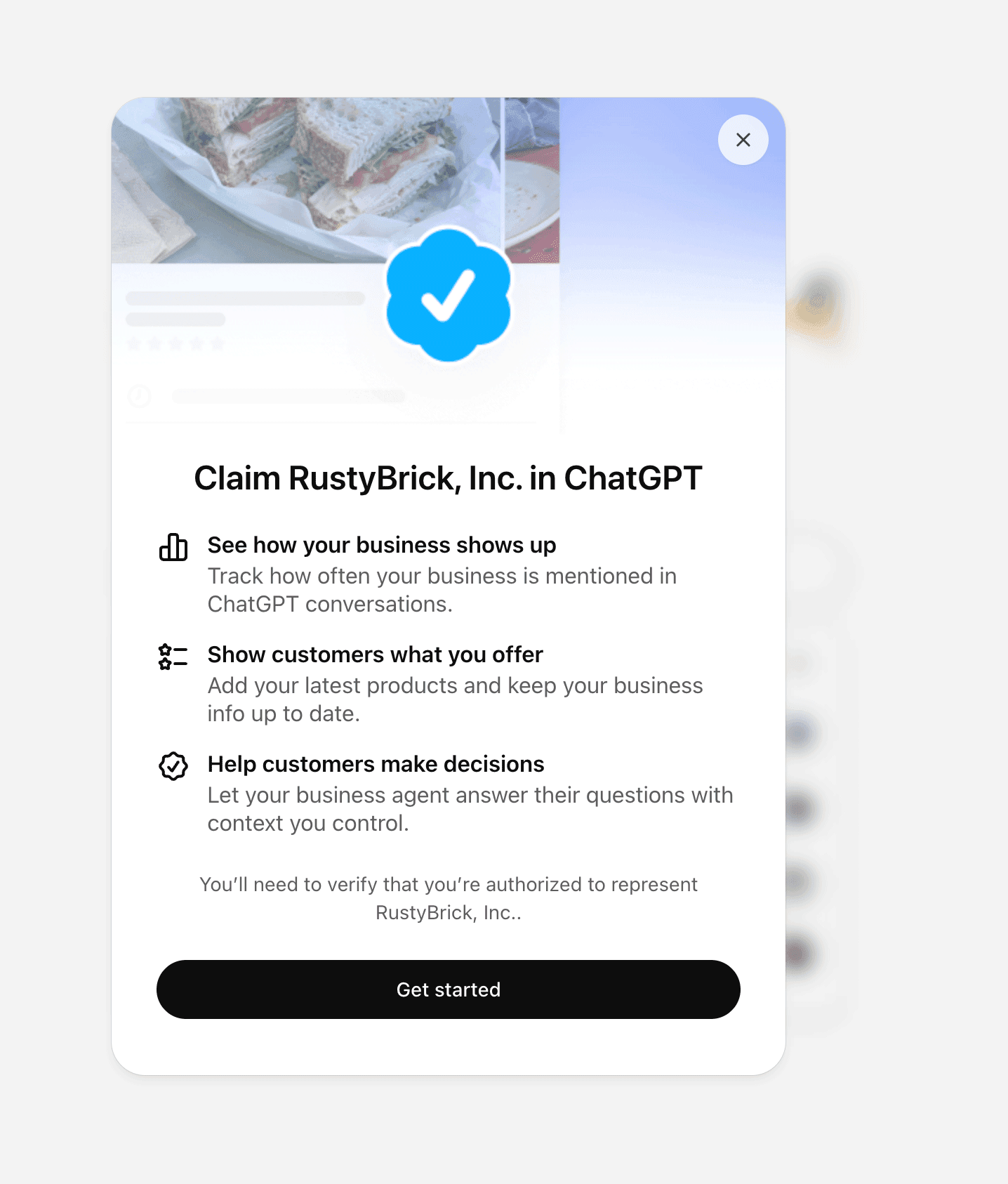
The claim screen asks the person to verify that they are authorized to represent the business. Screenshot published by Barry Schwartz. Source: Search Engine Roundtable, November 10.
If your business doesn't appear, an eligible online business may see an option to add it. If someone has already claimed it, the profile menu offers a Dispute ownership option that routes you through Persona.
Check profile eligibility separately from insights and agent access, then prepare the ownership proof and identity records needed to avoid verification blockers.
Who can claim a profile today
Any eligible business located where ChatGPT is available can claim a profile. OpenAI's product page says claiming is initially open to eligible businesses with a website, and that eligibility depends on industry, location and OpenAI's verification and integrity checks. You must own the business or be authorized to represent it.
OpenAI's policy says some categories may be held back until safeguards are ready, and that requests raising safety or integrity concerns may be declined. Existing OpenAI Enterprise customers and advertisers can claim through their OpenAI representative instead of the self-serve flow.
The setup documentation lists no fee for claiming or verification. Claiming, publishing an agent and advertising are separate steps, so you can manage your profile and read insights without spending anything on ads.
Treat these as three separate eligibility questions:
- Profile claiming: Open to eligible businesses wherever ChatGPT is available, subject to category and integrity checks.
- Insights: Available after the claim and Persona verification are approved, and only once activity passes OpenAI's reporting thresholds.
- Business Agent: Limited to eligible ecommerce and online service businesses in the U.S. with a website, subject to a separate policy review.
Verification steps and common blockers
The ownership check offers methods such as a code by text or automated call to the business phone, a code to a business email address, a DNS TXT record on your website domain, or a Shopify store login. The setup documentation says "such as," so your business may see a different set. Domain verification depends on whoever controls DNS, and record changes can take time to propagate.
Persona is the step most likely to stall. You may need a government-issued ID, business registration details and proof you're authorized to represent the business. The name, address and any registration or tax number must match official records. Submitting to Persona doesn't count as approval, and the blue check appears only after Persona approves.
The setup documentation gives no review timeline beyond saying it varies. Other blockers you may hit:
- A locked listing that shows Contact support instead of a claim button.
- A failed or expired Persona check, which needs corrected details through the Try again option if offered.
- A published profile that OpenAI Support won't delete or hide, since only unpublished drafts can be removed.
- A multi-location brand where claiming the main brand leaves every location unclaimed.
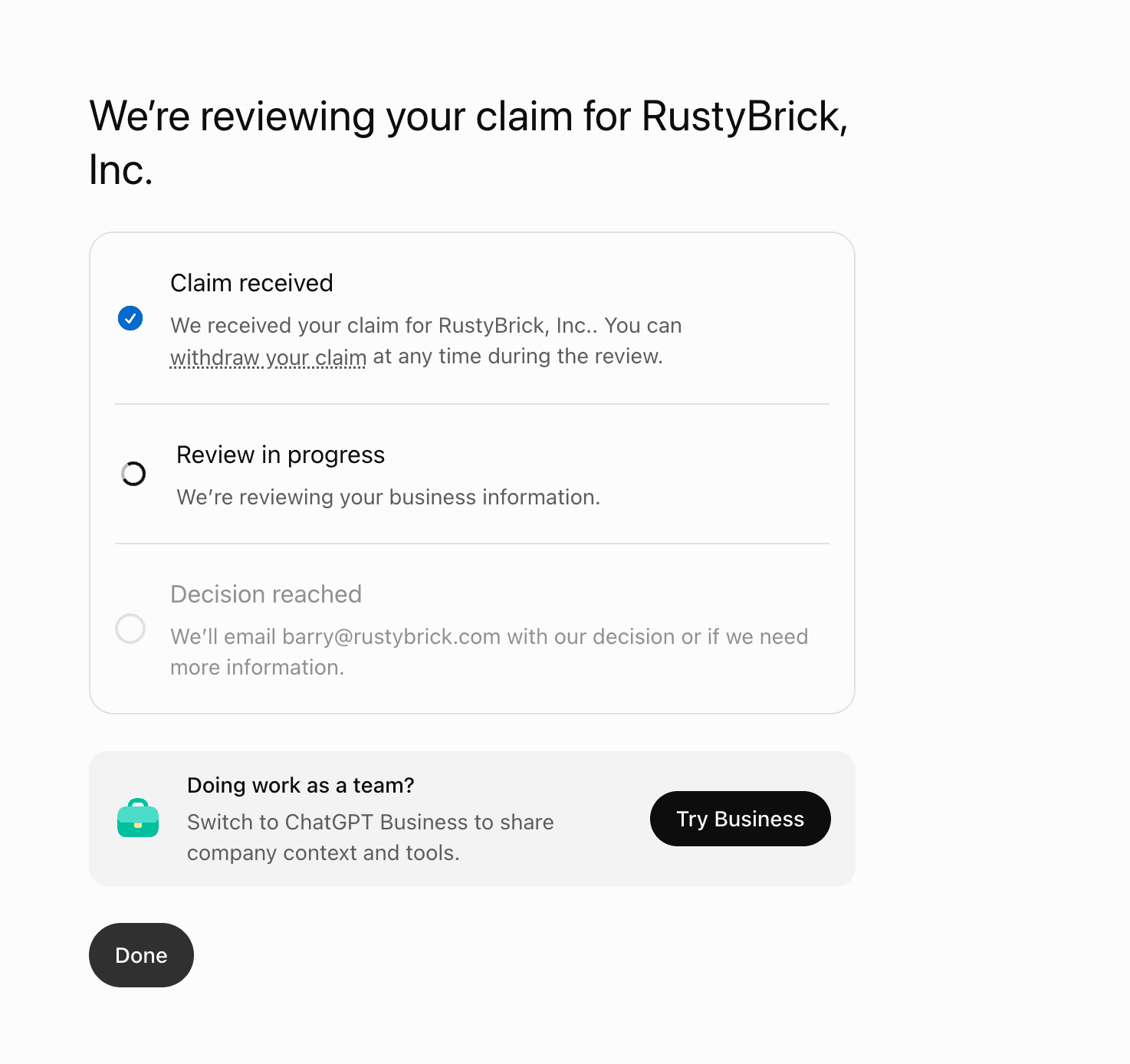
Submitting a claim is not an approval. This launch-day screenshot shows the review still in progress. Screenshot published by Barry Schwartz. Source: Search Engine Roundtable, November 10.
For the category-specific questions, read our B2B and service-business eligibility guide.
What you can manage in Business Hub
Business Hub lets a verified business edit a short set of profile fields and add product data. The documented fields are website, business description, product or service category, logo, delivery policy, return policy, cover photo and other optional details. Verified businesses can also add product feeds with pricing and availability.
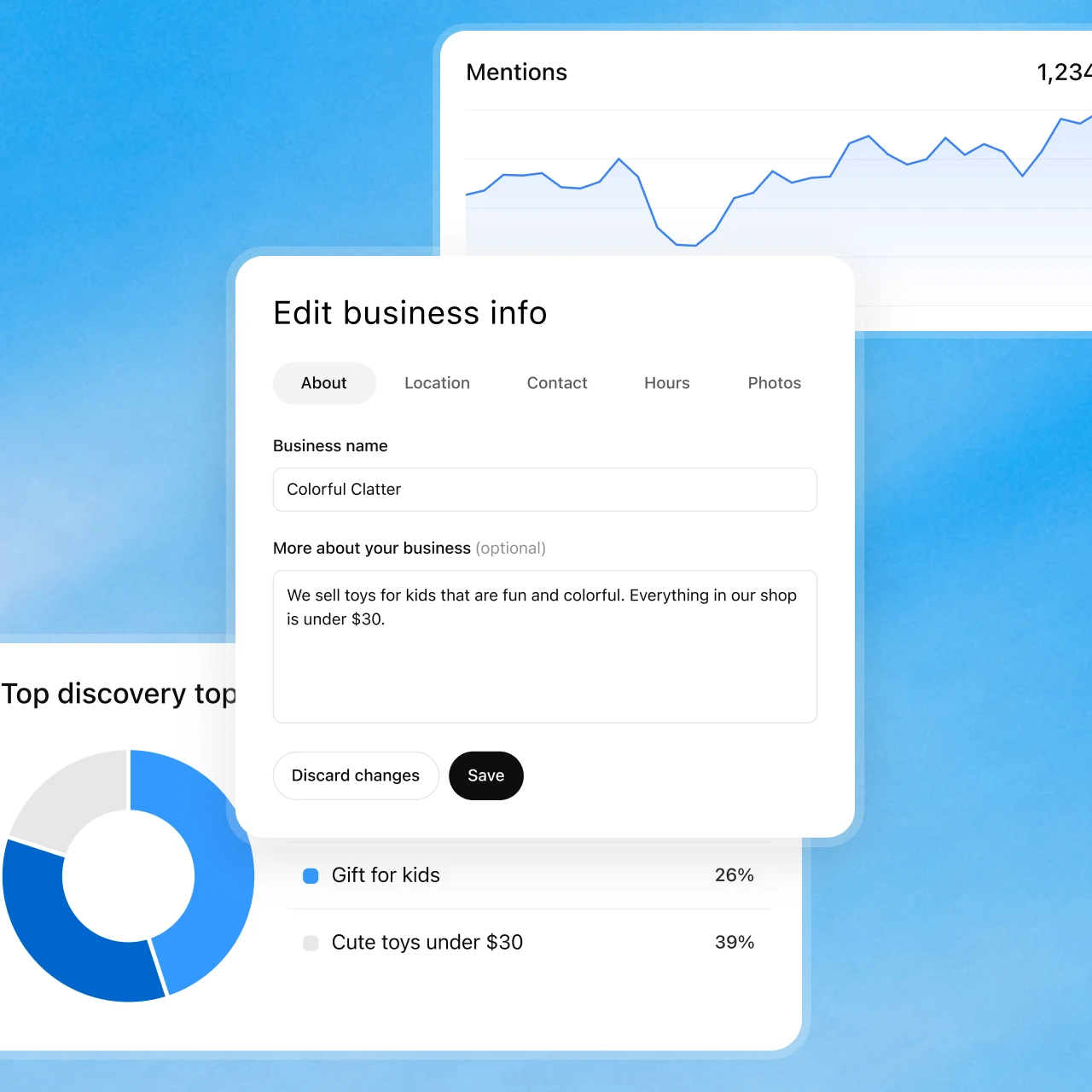
Official business-information review example. Supplying accurate facts is different from controlling ChatGPT’s independent recommendations. Source: OpenAI.
OpenAI reviews and publishes each change. Updates can take time to appear in a listing or an answer. OpenAI's policy asks that everything you submit truthfully represents the business and stays current, and it rules out misleading claims about prices, availability, qualifications or results.
Team access is simple. The admin who claimed the business can add teammates and grant an agency access to manage the profile or its agent, and each person signs in with their own ChatGPT account. The setup documentation doesn't describe separate permission levels for Business Hub, so decide internally who can publish before you invite anyone.
Data handling favors the customer. OpenAI says it does not share users' conversations or Business Agent chats with businesses. The Businesses in ChatGPT Terms make the business responsible for any lead information it receives and for the notices and consents its own privacy policy requires. OpenAI's Business Agent pages state no retention period for agent chats, and they don't address whether those chats are used for model training.
The insights show aggregate activity, but their mention definitions, reporting thresholds and missing context limit what you can conclude.
What the insights show and what they leave out
Business Hub insights cover the past 28 days and report mentions, website clicks and discovery topics. OpenAI's dashboard image also shows profile views, though the help documentation doesn't define that metric. Insights appear only after the claim and Persona verification are approved.
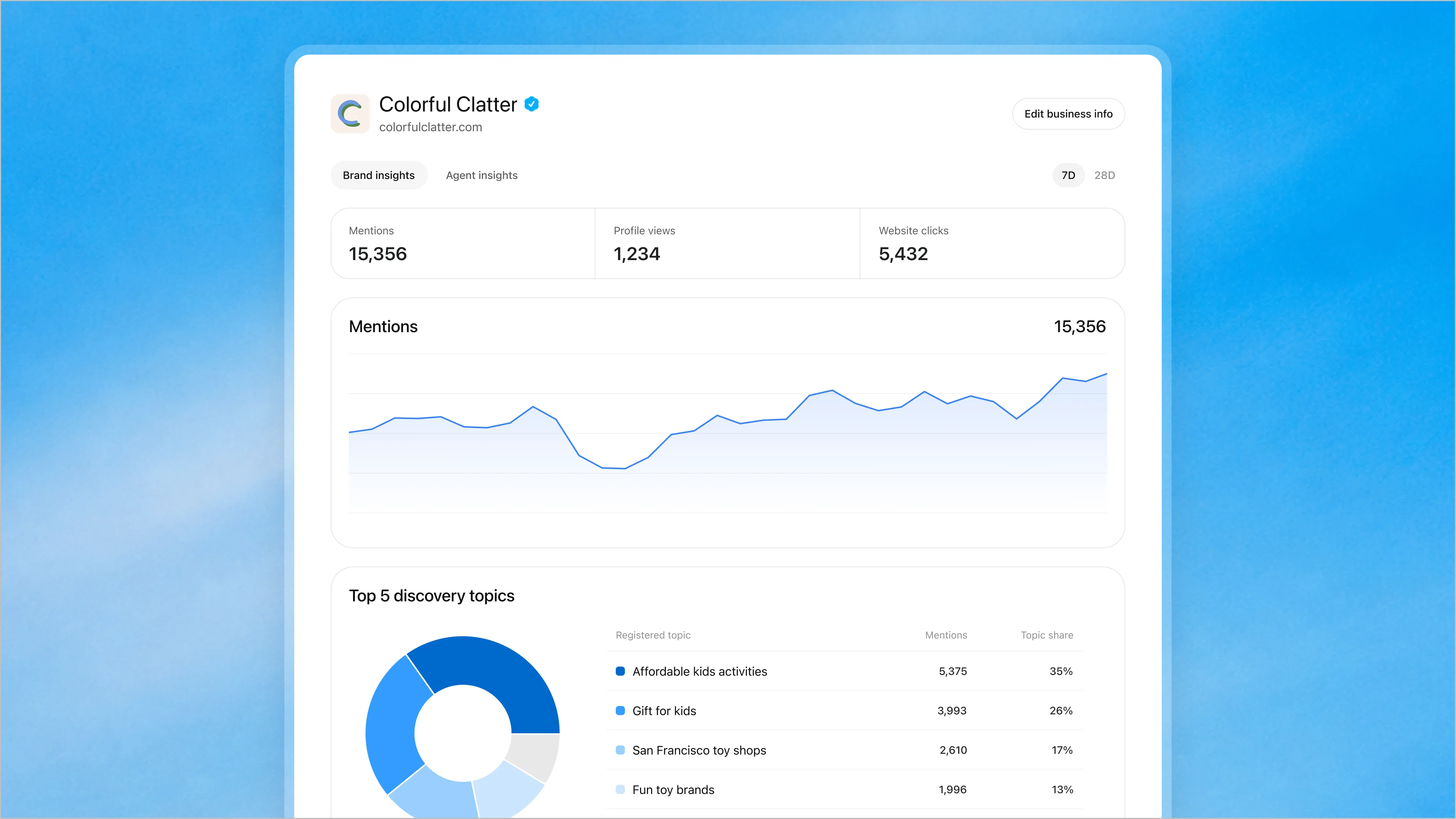
Source: OpenAI’s November 10 announcement. This is OpenAI’s product illustration, not GrowthX or customer performance data.
The mention definition matters more than any number on the dashboard. For an online business, a mention counts only when ChatGPT references your website, so a brand name in an answer with no website reference won't register. Discovery topics are aggregate themes from answers that cited you, and they don't reveal individual prompts or directly measure customer intent.
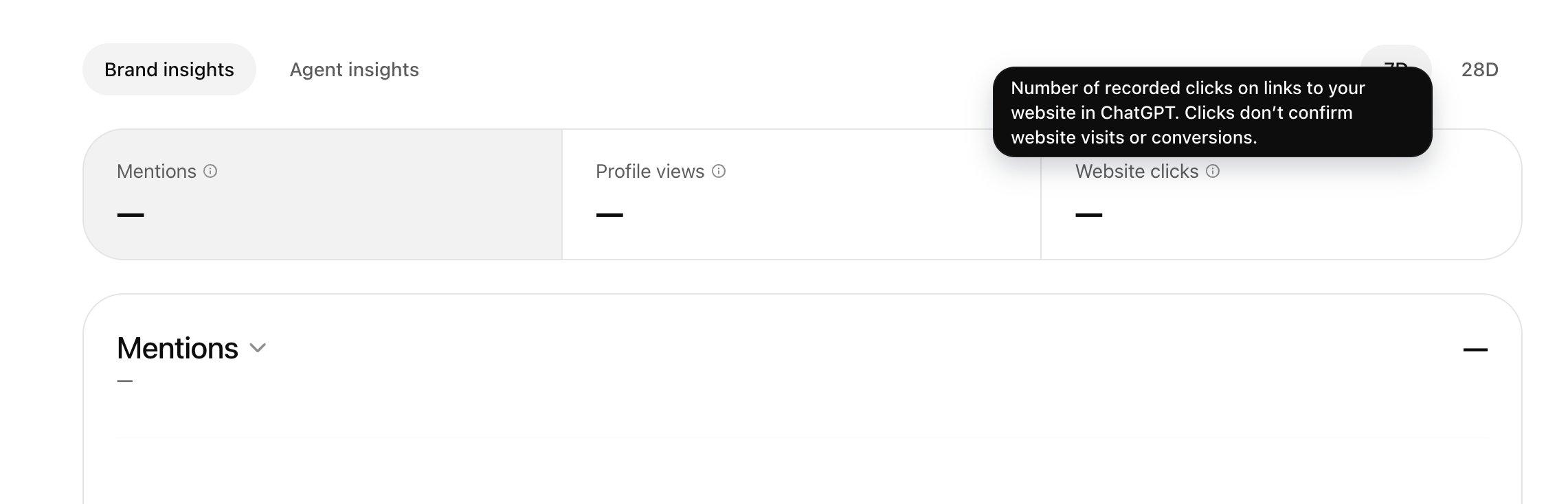
The website-clicks tooltip makes the measurement boundary explicit: a recorded click does not confirm a visit or conversion. Screenshot published by Barry Schwartz. Source: Search Engine Roundtable, November 10.
The insights leave a lot out, and you should plan around the gaps:
- Thresholds: Data appears only once activity passes undisclosed reporting thresholds.
- Blank metrics: A blank field can mean low volume, data still collecting or reporting unavailable, and it doesn't necessarily mean zero.
- Missing context: Businesses never see individual prompts or agent conversations.
- Missing comparisons: The setup documentation doesn't list competitor benchmarks, conversion attribution or an export.
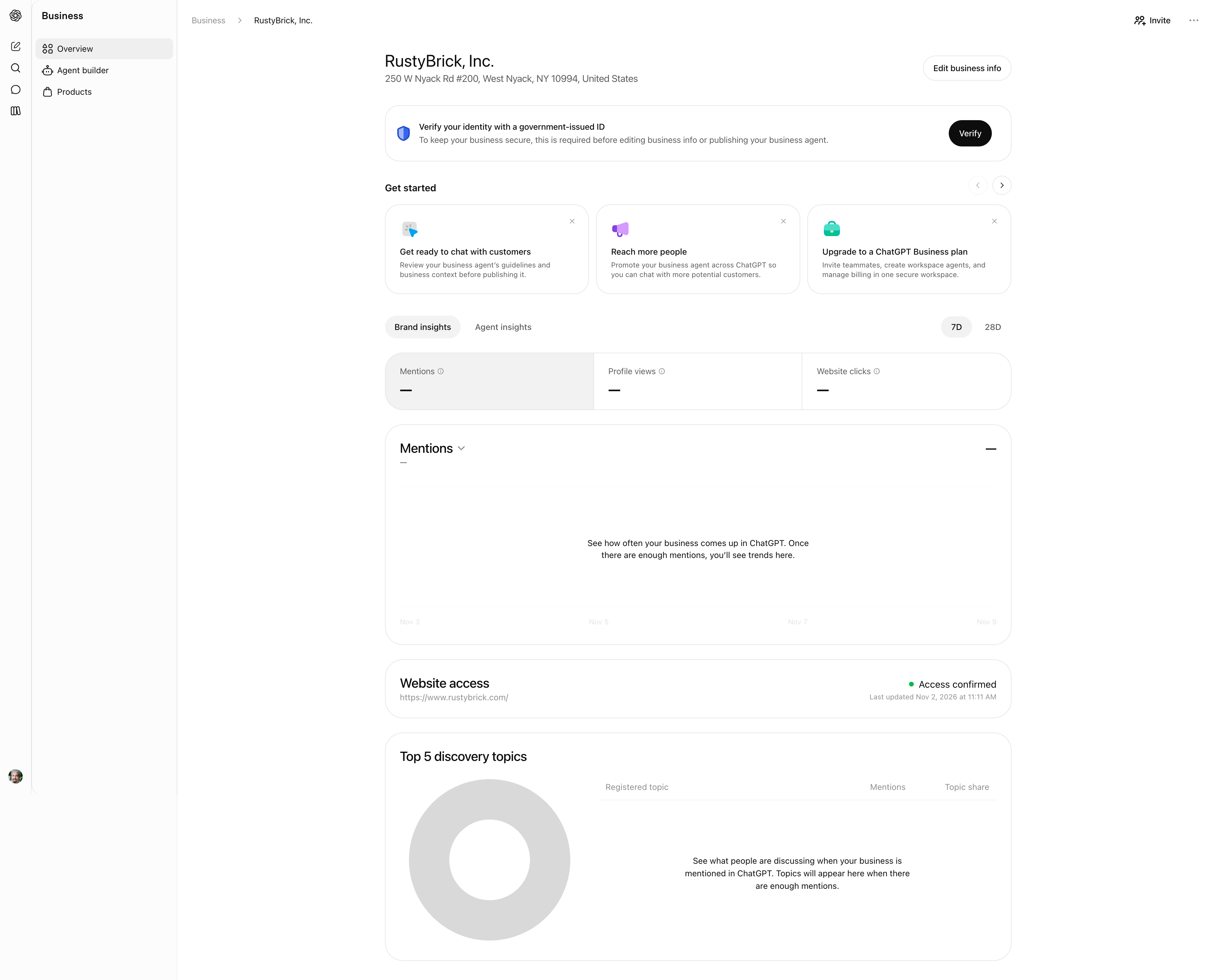
A launch-day account screenshot shows unavailable metrics as dashes, rather than zero. It also displays a separate identity-verification requirement. This is the publisher’s account, not GrowthX’s. Source: Search Engine Roundtable, November 10.
How the Business Agent fits the customer experience
A Business Agent is an AI representative that answers questions using information your business provides, in a conversation clearly labeled and separate from ChatGPT's own answer. Eligible ecommerce and online service businesses in the U.S. can build, test and publish one today. You preview it with common customer questions, fix the information or instructions if an answer is wrong, and publish when ready.
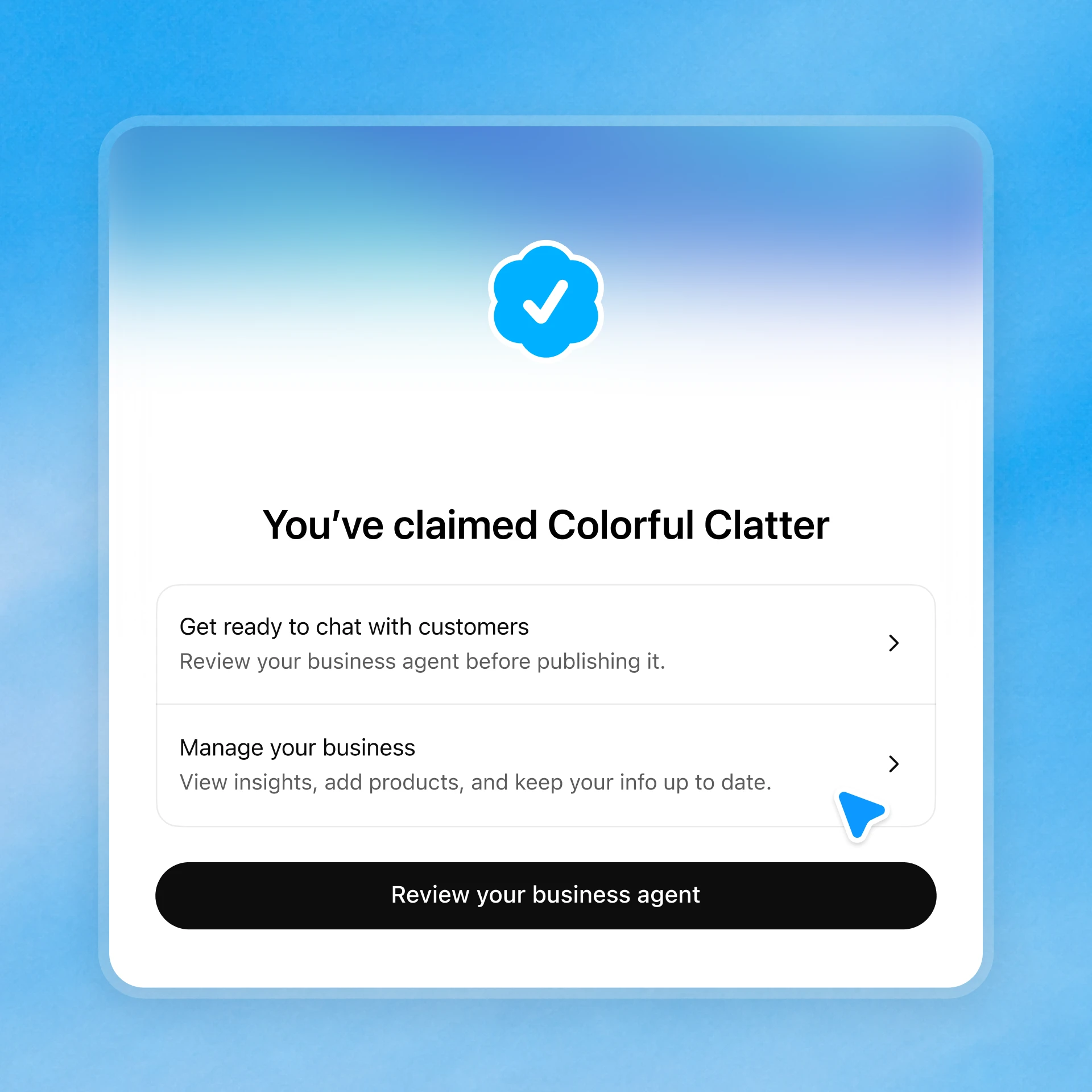
The confirmation offers separate actions to review the agent and manage the business. A claimed profile does not mean an agent is already published. Source: OpenAI.
The current agent can explain products and policies, recommend and compare items, and link to your website. It can't complete checkout, make bookings or look up orders. The Business Agents Policy adds firm limits. The agent must say it's an AI representing the business, can't invent prices or results, can't ask for unnecessary sensitive data and can't give advice that legally requires a professional license.
Some online services may already qualify, though OpenAI's Business Agent pages don't define "online service business." The policy says OpenAI reviews both the category and the agent's intended use, and verification alone doesn't guarantee agent access. Businesses can also sponsor their agent as the destination for ChatGPT Ads, with sponsored placements labeled separately from ChatGPT's responses.
To put this into practice, follow how to create, test and publish a Business Agent.
What participation changes and what stays outside your control
Participation brings three things together. You can maintain verified facts on your profile. You get an agent channel if you're eligible. You get first-party insights, however thin.
What you don't get is control over ChatGPT's independent recommendations. OpenAI's setup documentation says claiming doesn't guarantee more visibility or direct control over independent recommendations, that advertising doesn't influence those answers, and that disputing ownership doesn't change visibility. The Terms go further. OpenAI may build a listing whether or not you claim it, may supplement or replace your information from other sources, and doesn't guarantee any placement or ranking.
Three things stay outside your control:
- Selection: Whether ChatGPT names or cites your business in an answer at all.
- Other sources: What third-party pages say about you, which ChatGPT may draw on alongside your profile.
- Accuracy: Whether a given answer reflects your latest edits, and whether your agent answers correctly every time, which OpenAI doesn't warrant.
Your website still feeds the selection step. OpenAI's crawler documentation says OAI-SearchBot surfaces websites in ChatGPT search, and websites that block it won't appear in search answers beyond navigational links. GPTBot is a separate setting for content that may inform the training of future foundation models. Neither the crawler documentation nor the Business Hub pages explain how crawled website content and Business Hub data interact, which is one more reason to make your website and profile say the same thing.
What early users and observers are saying
Search and AI-visibility practitioners reacted to the launch with relief at finally getting first-party data, along with concern about verification and scope. Everything in this section is observation from public posts, paraphrased, and not documented functionality.
- Kevin Indig created an account on launch day and shared early observations. He found the hub leaned toward ecommerce, saw a services category listed as not yet available, and noted he had to verify with a government ID before building an agent. He also listed what was missing, including individual prompts, competitive benchmarks, conversion attribution and bulk export.
- Other reactions followed similar lines. Lily Ray, VP of SEO and AI Search at Amsive, called the inclusion of click data the headline on LinkedIn. One commenter on their post compared Business Hub to Google's business verification more than to Search Console and flagged that verification isn't the same as agent eligibility, and another reported a greyed-out option they couldn't select.
- Brodie Clark welcomed the analytics on X and warned that weak verification could invite business hijacking, a concern he noted @rustybrick had also raised.
Firsthand signup accounts are thin so far. Search Engine Roundtable claimed a listing through DNS and reported seeing no data yet. We found no business-authored write-up of the full flow, from claim through Persona approval to a published agent, in the launch window.
What it means for B2B, SaaS and service businesses
Eligible B2B and service companies can claim a profile today, while Business Agent access depends on OpenAI's review of category and intended use. The visible launch examples are retail, where product feeds and Shopify integration already exist. The setup documentation, product page and policies don't name B2B, either to include or to exclude it.
Separate what eligible B2B businesses can use now from OpenAI's announced expansion plans and the future use cases that remain possibilities.
Available to B2B businesses now
Any eligible business with a website where ChatGPT is available can claim its profile, verify it and read insights. For an eligible SaaS company, approval of the claim and Persona verification lets you update your description, category, logo and website link. Available insights show website references and discovery topics, subject to reporting thresholds.
Agent access is less certain. A SaaS product sold online may fit OpenAI's "online service business" label, but OpenAI reviews category and intended use before approving publication. Professional services face an extra limit, because an agent can explain offerings but can't give advice that legally requires a license. Companies already working with an OpenAI representative as Enterprise customers or advertisers can raise the question directly through that channel.
Expansion OpenAI has announced
OpenAI says it plans to expand Businesses in ChatGPT and Business Agents to more markets and business categories over time, and to build tools for organizations with more complex needs. The product page says agent access is expanding to more types of businesses over time. The announcement and product page give no timeline, no list of upcoming categories and no waitlist for either product.
The "complex needs" line is the closest thing to a signal for larger B2B organizations. It names no category, though, so plan as if the timing is open.
Possible B2B use cases ahead
The following are possibilities we see from the documentation, not announced features. A B2B agent could answer the questions buyers bring to a first sales call, such as which plan fits a team of a given size, how integrations work and what the contract terms look like. It could explain published pricing and route qualified buyers to a demo page.
The policy already sketches the boundaries. Agents may offer an optional follow-up and collect contact details through an approved feature when the user chooses to provide them, and the Terms reference lead information the business receives. OpenAI hasn't documented such a feature for B2B use. If OpenAI opens those features to more categories, the companies with clean, consistent product and policy facts will have the least to rebuild.
Common mistakes to avoid
Most early mistakes come from treating the profile as more than it is. Watch for these:
- Confusing the subscription with the offering: Buying ChatGPT Business seats does nothing for your public profile, and claiming a profile gives no one seats.
- Inconsistent website facts: A profile description that contradicts your website, pricing page or third-party listings gives ChatGPT conflicting sources to draw on.
- Treating a profile as an AI visibility plan: Claiming doesn't guarantee increased visibility or give you direct control over recommendations, and Business Hub covers only ChatGPT.
- Reading blanks as zeros: Counts may be incomplete, because reporting thresholds can hide activity and an online-business mention requires a website reference, so a blank isn't necessarily zero.
- Stopping at the claim: Without Persona approval you can't publish edits, view insights or build an agent, and you get no blue check.
- Blocking the search crawler: Your Business Hub profile and OAI-SearchBot access are managed in different places, and a robots.txt rule that blocks OAI-SearchBot prevents your website from appearing in ChatGPT search answers beyond navigational links.
How to get started this week
Assign one person to own the claim and one to own website facts. Then work through it in this order:
- Search for your business in Business Hub and confirm which verification methods you're offered, then check whether you're in a category and country where an agent is available.
- Claim the profile using the method your team controls fastest, which is often DNS if marketing owns the domain.
- Gather registration documents and an authorized representative's ID before you start Persona, and match every detail to official records.
- Audit your website's descriptions, categories, pricing and policies so they match what you'll publish in Business Hub, written plainly enough for buyers, AI engines and training bots alike.
- Check robots.txt to confirm OAI-SearchBot is allowed.
- Record your first 28-day insights as a baseline and track AI visibility across engines separately, since Business Hub reports only ChatGPT and only above its thresholds.
The audit in step four is where most teams stall, because the facts live in scattered pages, briefs and drafts that nobody holds in one view. In the GrowthX platform, Context keeps company foundations, offerings and competitors in one place every drafting agent reads, Portfolio scores every page's technical Health, and AI visibility is tracked on the segments GrowthX configures for ChatGPT, Claude, Perplexity and Google AI Overviews. If your team keeps rebuilding the brief across disconnected tools, explore the GrowthX platform: shared company context, portfolio priorities, and production in one place, with your team making the calls.