4.2 · Generate opportunities
Research a cluster or your own ideas into scored opportunities you can accept or dismiss in seconds.
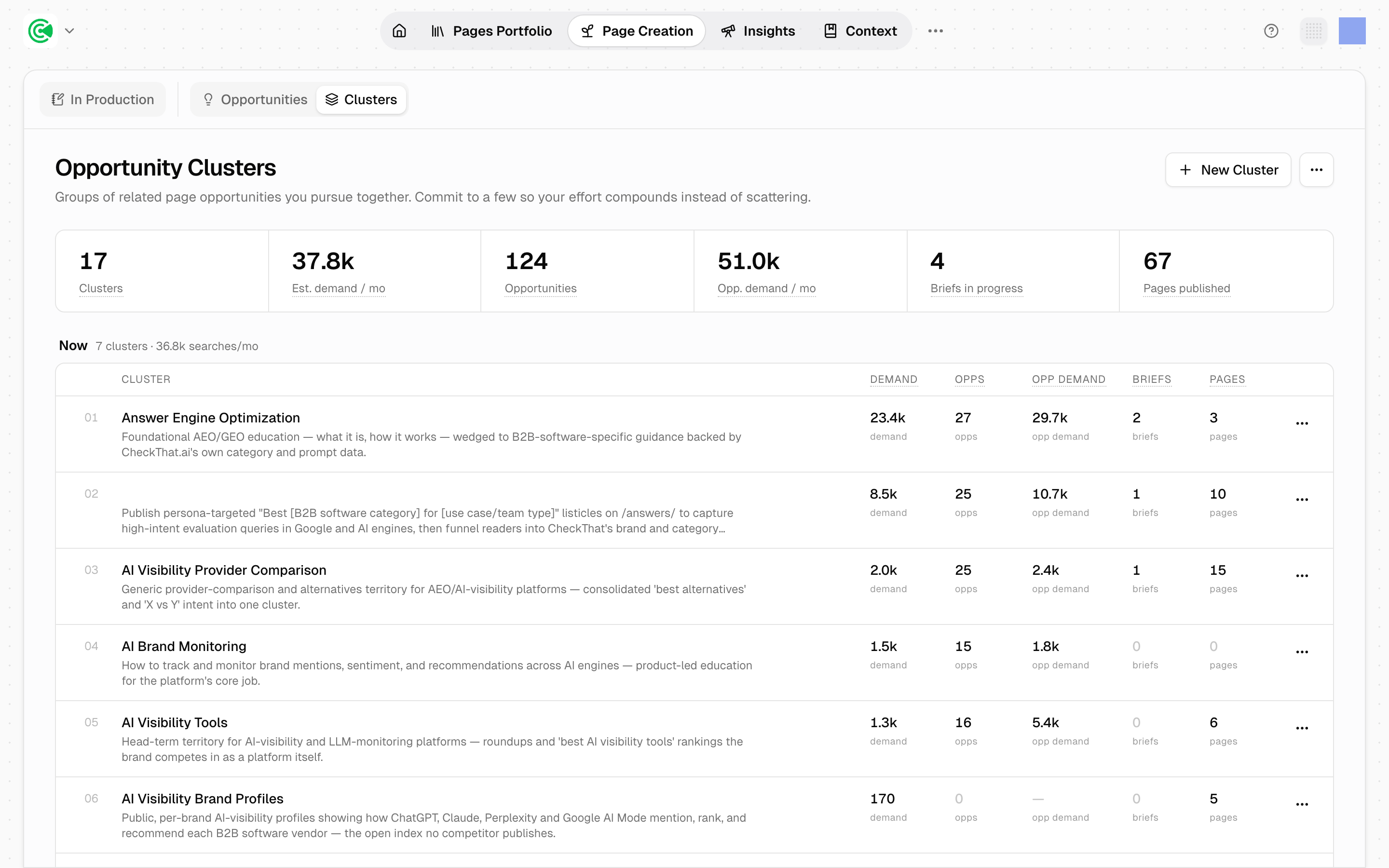
An opportunity is the unit of decision in GrowthOS: one concrete page worth creating, researched and scored so you can say yes or no in seconds. You never start from a blank keyword list. Agents, the automated workers that research, draft and score, fill your backlog from the territories you backed, and you add your own whenever you have an idea, because your instincts about your market are a discovery method the agents do not have.
This guide covers the 2 ways opportunities get generated. The next one covers deciding.
Your backlog starts empty, and that is expected. Opening Opportunities on a new workspace (everything GrowthOS knows and does for your brand) shows "no opportunities" because nothing has been researched yet. That screen is not waiting on GrowthX; it is waiting on you to run one of the 2 paths below. The first run takes a few minutes and typically returns more than you will write in a quarter, so treat the emptiness as a starting line rather than a fault.
From your clusters
On any cluster, a group of related opportunities worked as a set, click Find Opportunities to put an agent to work researching that territory. Results stream into your Backlog, scored, within minutes. Behind that one button sit 2 research strategies: keyword research across the territory's search universe, and prompt discovery, the questions buyers ask AI assistants and what the answers cite. You do not pick; the research runs both. Up to 3 of these research runs can be in flight at once.
From your own ideas
Open Page Creation, then Opportunities, and click Find opportunities. The intake page asks one question: what do you want to be found for?
Type your ideas, one per line
An idea, a question your buyers ask, or a competitor link. Up to 25 lines per batch. This is where sales-call gold goes: the question a prospect asked yesterday is a better starting point than anything a keyword tool suggests.
Continue, and review the routing
Click Continue. Before anything runs, each line gets classified and checked. New ideas are marked ready to research. Links get read, with opportunities researched for every topic they cover. Duplicates of existing or previously dismissed opportunities get flagged and skipped, with a "Research anyway" override if you disagree.
Research
Click Research N ideas. Each idea lands in your Backlog as a scored opportunity in about 5 minutes.
Reading the score
Every opportunity carries a 0 to 100 score, and every score is explainable: click it and the breakdown shows how each signal weighed in.
| Signal | The question it answers |
|---|---|
| Relevance | Is this on-topic for your business? Weighted heaviest |
| Search demand | How much search volume sits behind it? |
| Difficulty | How hard is the ranking fight? |
| Cluster priority | Is it in a territory you backed? |
| Buyer intent | Is the searcher browsing or ready to buy? |
| Coverage gap | Is it already covered by an existing page? |
2 scoring rules worth knowing, because they cut against keyword-tool instincts. A missing signal is neutral, never a penalty. And zero search volume means unknown, not worthless: a high-fit question your buyers genuinely ask can outrank a high-volume, mediocre keyword. The score optimizes for pages worth having, not for volume.
Common questions
Do I wait for the backlog to fill before adding my own? No. Add your ideas on day 1. Your ideas and the agents' research dedupe against each other, so nothing collides.
An idea I added got flagged as already dismissed. That is the memory working: something similar was dismissed before, and dismissals are durable so the same idea does not keep resurfacing. If this time is different, override with "Research anyway."
Can I be found for things people ask AI assistants rather than Google? Yes. Demand is measured on both surfaces, search volume and AI-assistant volume, and prompt discovery (what people ask assistants, and what the answers cite) is one of the 2 research strategies.