MCP server
The MCP server gives an AI agent live access to your workspace from wherever you already work: read-only by default, write access by opt-in.
App route: /mcp_connection
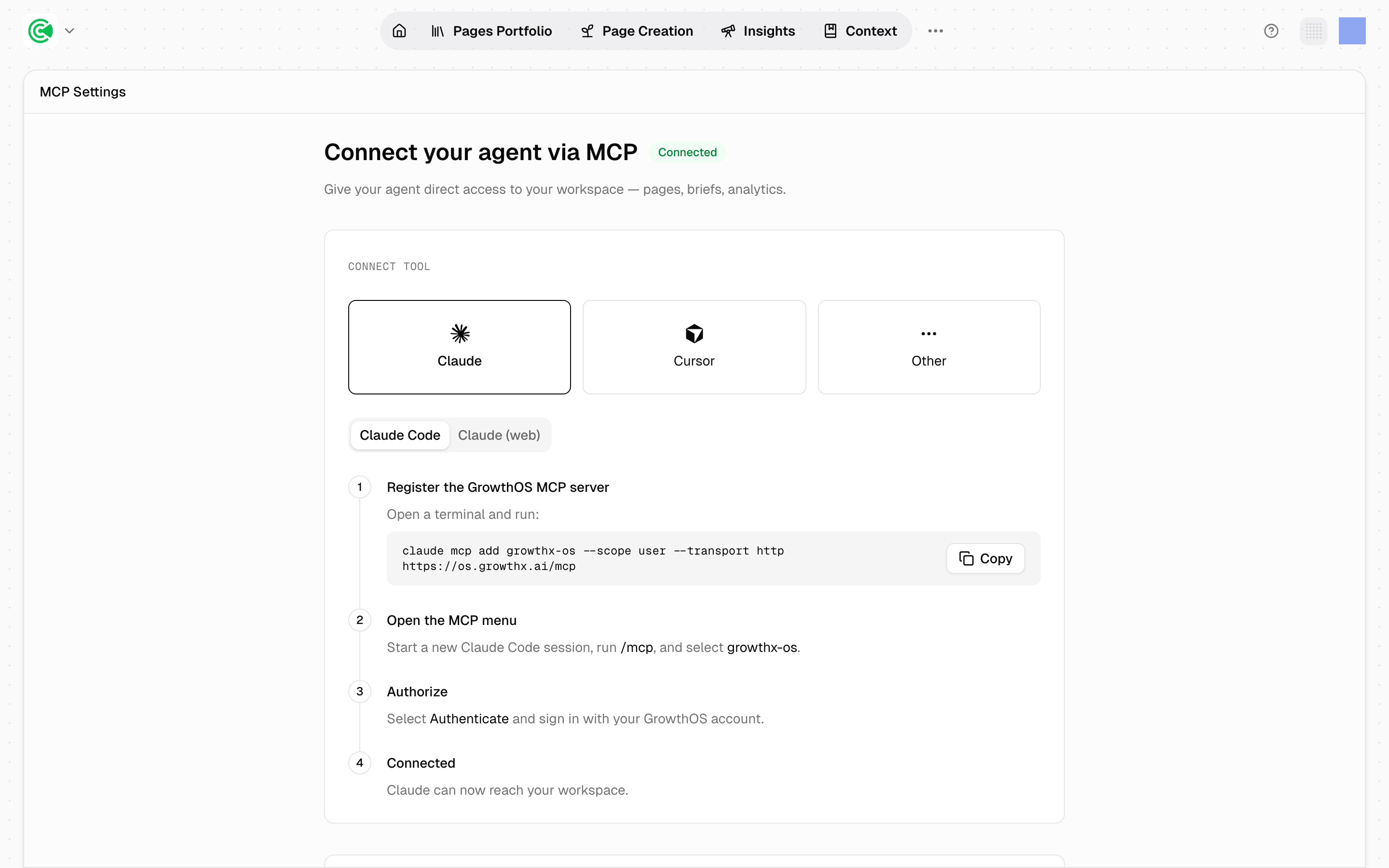
The MCP server gives an AI agent direct access to your workspace (pages, briefs, context and analytics) from wherever you already work, read-only by default. A brief is the plan a draft is written from; context is what GrowthOS knows about your company. Instead of exporting a report to ask a question about it, you ask the question against live workspace data.
Setup takes about 10 minutes and is per-client: connecting Claude doesn't connect Cursor.
Doing this rather than looking it up? The Tutorial walks this screen step by step in 2.3 · Connect your agent via MCP.
Reference
The default scope is read-only. The screen groups the tools into 3 areas (Pages, Page Creation and Context), and Show all tools lists everything your account can reach. Some tools are reserved for the GrowthX team, so the list reflects your own access rather than the full server.
Read-only is the default, not the ceiling. Out of the box an agent can read your portfolio, your scores, your briefs and your context, and nothing it does can change the workspace. Letting it make changes is a separate, per-person opt-in on the sign-in screen, granted area by area and previewed change by change; 8.2 · Give your agent write access covers it.
--scope user in the registration command installs the server for your user account rather than a single project, so it's available in every session rather than one directory.
The connection carries your permissions. It isn't scoped to the workspace you happened to set it up from: in the rare case your account can reach several workspaces, the agent can query all of them. Worth knowing before you connect an agent on a shared machine.
Connected means "has connected", not "is connected now." The badge is set the first time an authenticated request arrives and is never cleared, so it won't tell you whether the link is live today.
Disconnecting
You disconnect on the client, not in GrowthOS. There is no in-product button that severs an MCP connection. The credential lives in your AI client, so removing it there is what ends the connection:
claude mcp remove growthx-osFor Cursor and other clients, delete the growthx-os entry from the client's MCP
configuration.
The Revoke button under Tools → API Tokens is a different credential, one GrowthX manages. It governs programmatic API access and has no bearing on MCP: revoking a token won't disconnect an agent, and removing an agent won't invalidate a token.
Two properties of the connection matter more than a disconnect button, and both work in your favour:
The authorization is short-lived. The access token the connection uses expires after 1 hour and is renewed against your account; the renewal credential itself expires after 30 days. An abandoned connection stops working on its own.
Access is re-resolved on every request. The connection doesn't hold a snapshot of what you could see when you set it up: each request looks up the workspaces your account can reach right now. So removing someone from a workspace immediately removes it from what their agent can query, and deactivating their account ends the connection entirely. Account access is the real control here.
It turns the workspace into something you can ask questions of. The product answers the questions its screens were designed for. An agent with MCP access answers the ones nobody built a screen for: "which pricing pages lost position this month and share a persona", "summarise every brief in review against our writing profile."
The read-only default is what makes it safe to hand to an agent. The worst outcome of a bad query is a wrong answer, not a published page. That constraint is why the connection can be set up in 10 minutes without a review process. Write access is the deliberate exception, opted into per person and per area, with its own rails.
It pays off most alongside creation and reporting. Early in an engagement there isn't much in the workspace to interrogate. Once there's a scored portfolio and a few months of history, it becomes the fastest way to work.
Agent kit
The connection decides what an agent can reach and whether it can write. The optional GrowthOS agent kit supplies the operating instructions: resolve the workspace before answering, read a full list before reporting a count, read a document before proposing a rewrite, and preview every change before applying it.
Installing the kit does not change permissions. A read-only connection stays read-only.
8.3 · Install the GrowthOS agent kit walks the install and the verification prompts. The kit itself lives at github.com/growthxai/growthos-agent-kit.
How your analysis zones work
Zones become the tabs you navigate the Portfolio by, and they schedule which parts of your site get deep analysis. GrowthX builds them; you decide how the site divides.
Concepts
The 5 ideas GrowthOS is built on. Read these when a screen is not behaving the way you expected.