Opportunities
The scored backlog of candidate pages, and the controls for accepting or dismissing them.
Triage here has 1 action with real consequence: accepting. Accepting an opportunity creates a brief and starts production; every other move (considering, dismissing, archiving) only reorders the backlog. Read this page with that asymmetry in mind.
App route: /opportunities
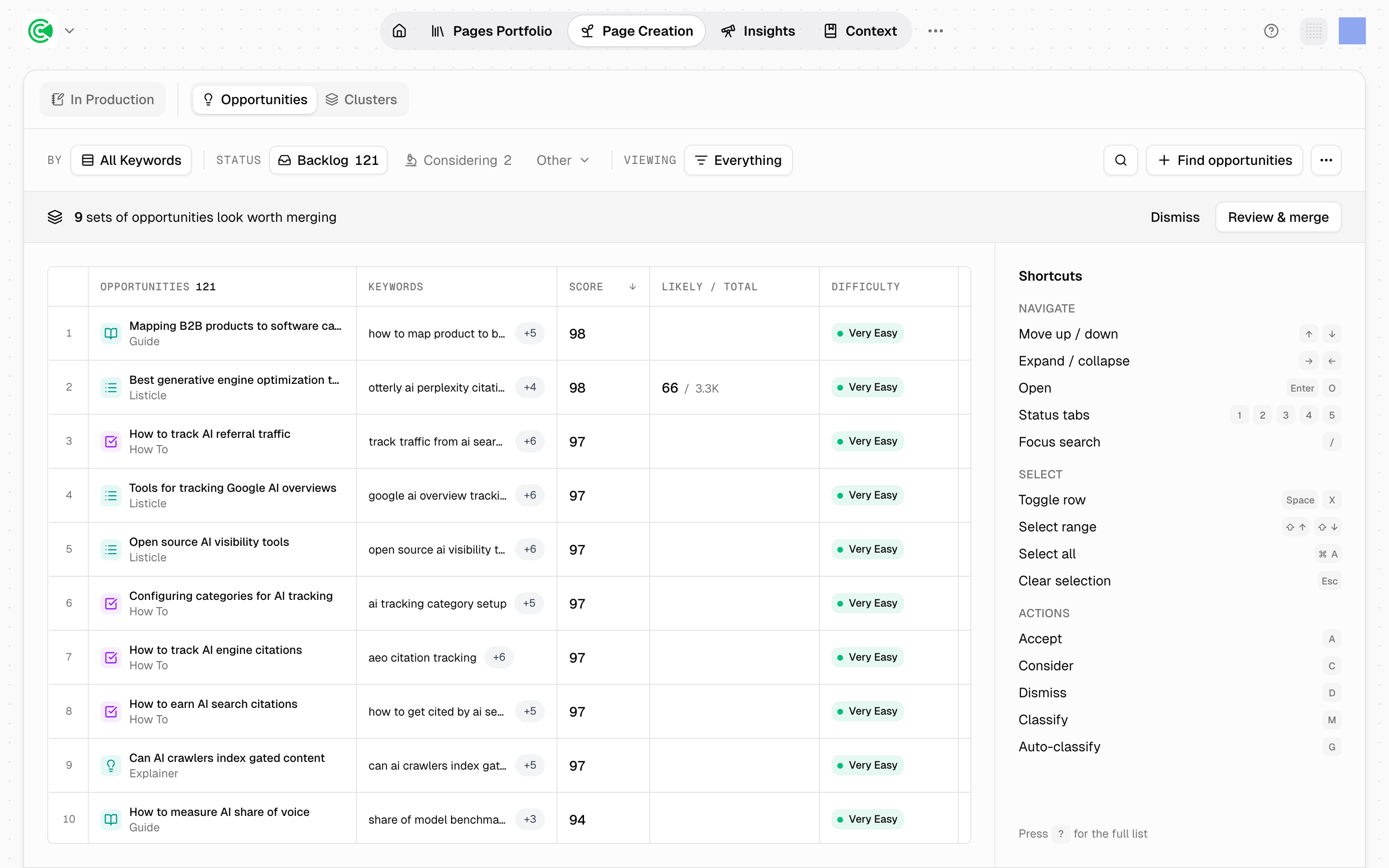
Opportunities are candidate pieces of work, scored and queued. Research agents, the automated workers inside GrowthOS, surface them from your clusters (groups of related opportunities built around one topic) and from your own ideas; your job is to triage: accept the ones worth a page, dismiss the rest, and keep the backlog honest.
Doing this rather than looking it up? The Tutorial walks this screen step by step in 4.2 · Generate opportunities.
Reference
7 states, not all of them visible as columns:
| State | Meaning |
|---|---|
seed | Raw idea you pasted in, not yet developed |
developing | An agent is working it up |
backlog | Scored and waiting for triage |
considering | Shortlisted |
accepted | Became a brief, the plan a page is written from |
dismissed | Rejected |
archived | Cleared out of the way |
seed and developing are the intake path for your own ideas and appear in their own lane. backlog and considering are the only 2 the system counts as open.
Considering does nothing on its own. Moving an opportunity there is a bookmark, not a commitment: nothing is generated, no brief is created, and no agent starts work. It exists so you can empty the Backlog in one pass without deciding everything at once, then come back to a shortlist you have already thought about.
Accepting is the only action that starts production. Accept an opportunity and it becomes a brief on the In Production board. If you are not ready to commit, move it to considering instead.
The score is a weighted blend of 6 signals: relevance carries the most weight, then demand, then difficulty and cluster priority, with intent and coverage contributing least. A missing signal is neutral rather than a penalty, so a sparse opportunity isn't pushed down for being sparse.
Badges flag things the score can't express: that your brand already ranks for the term, or that the opportunity likely overlaps a page you've already published.
Overlap is flagged, not resolved. When an opportunity looks like a page you already have, GrowthOS marks it. Deciding whether that means a rewrite instead of a new page is still yours.