Groupings
The axes you slice the portfolio along, and the coverage counts that show their limits.
App route: /brand_context/groupings
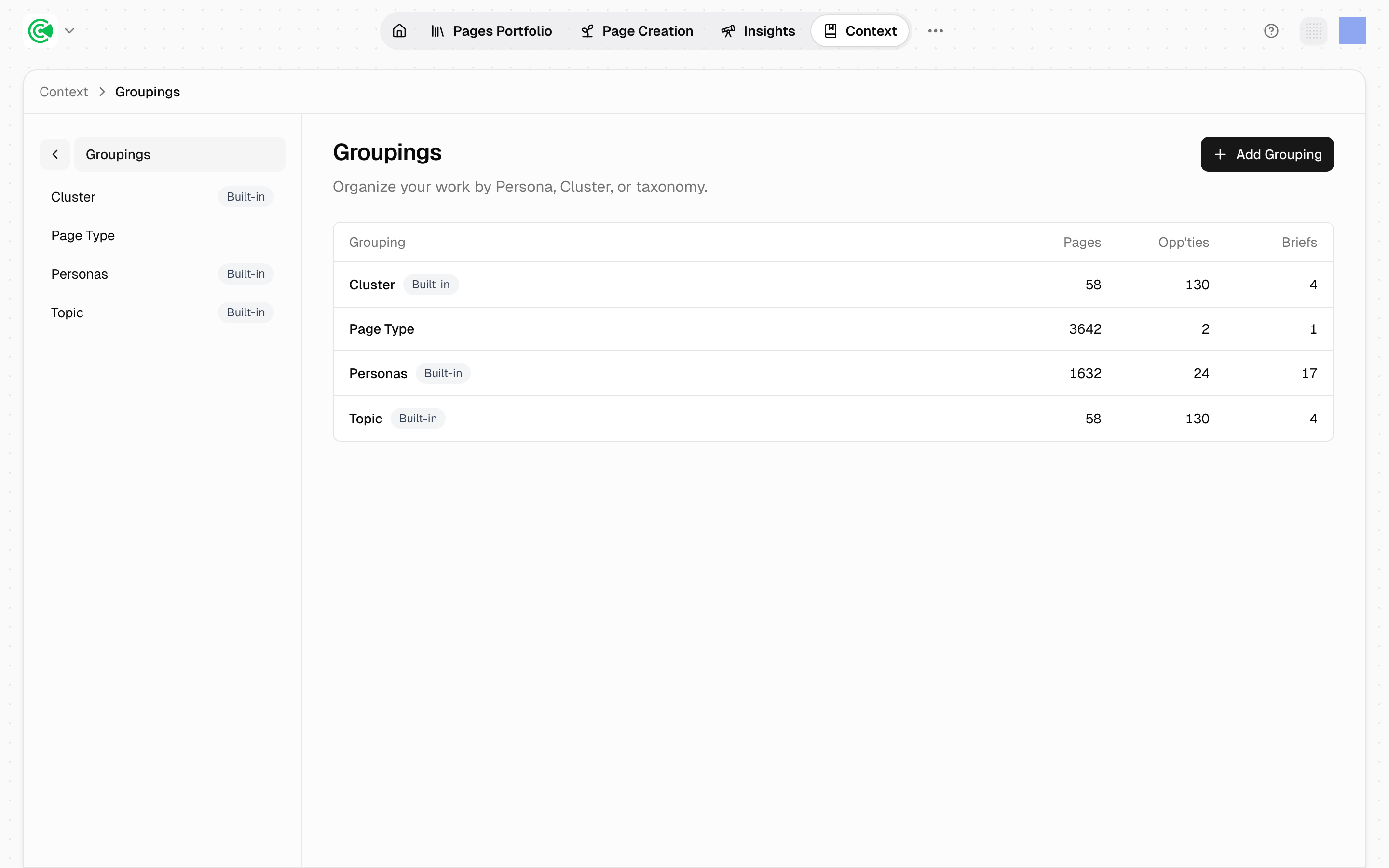
Groupings are the axes your content portfolio can be sliced along. They're what populates Group by in the Pages Portfolio, the list of every page on your site: pick a grouping and the wall of URLs reorganizes into a set of decisions: by buyer, by territory, by page type. The groupings defined here decide which questions the portfolio can answer at all, so a missing axis means a view nobody can pull.
Most of them ship with the workspace. The screen exists so you can see which slices are available, how much of the portfolio each one actually covers, and add your own.
Doing this rather than looking it up? The Tutorial walks this screen step by step in 3.3 · Editing and versioning.
Reference
| Column | What it holds |
|---|---|
| Grouping | The name, and a Built-in badge if the system provides it |
| Pages | Pages covered by this slice |
| Opp'ties | Opportunities (pages an agent proposes writing or rewriting) covered |
| Briefs | Briefs (the plans drafts are written from) covered |
The built-in groupings are Cluster, Persona and Topic. Page Type sits alongside them without the badge because it isn't system-managed: it's an ordinary grouping built over a taxonomy category, and it can be edited or removed like any other. The badge is earned by having a single axis that is either a persona or a cluster, or by carrying one of the 3 reserved names.
A grouping is defined by one or more axes, and an axis points at a persona (a buyer your content speaks to), a cluster (a group of related opportunities worked as a set), or a taxonomy category: though only the first and last are offered when you create one. Topic and Page Type are both taxonomy-category axes: the difference is only that Topic's category is system-managed and Page Type's is yours. That's what makes groupings composable: a grouping isn't a fixed report, it's a way of asking the portfolio a question.
Counts vary widely and that's expected. In a mature workspace, Page Type may cover thousands of pages while Cluster covers a few dozen: the first is a property every page has, the second only applies to pages you've deliberately committed to a territory.
Coverage is the caveat. A grouping that only touches part of the portfolio still renders a complete-looking view. The counts on this screen are the only place that limitation is visible, which is the main reason to come here at all.