Clusters
A cluster is a territory you have decided to own: related topics you intend to cover properly rather than glance at.
App route: /topic_clusters
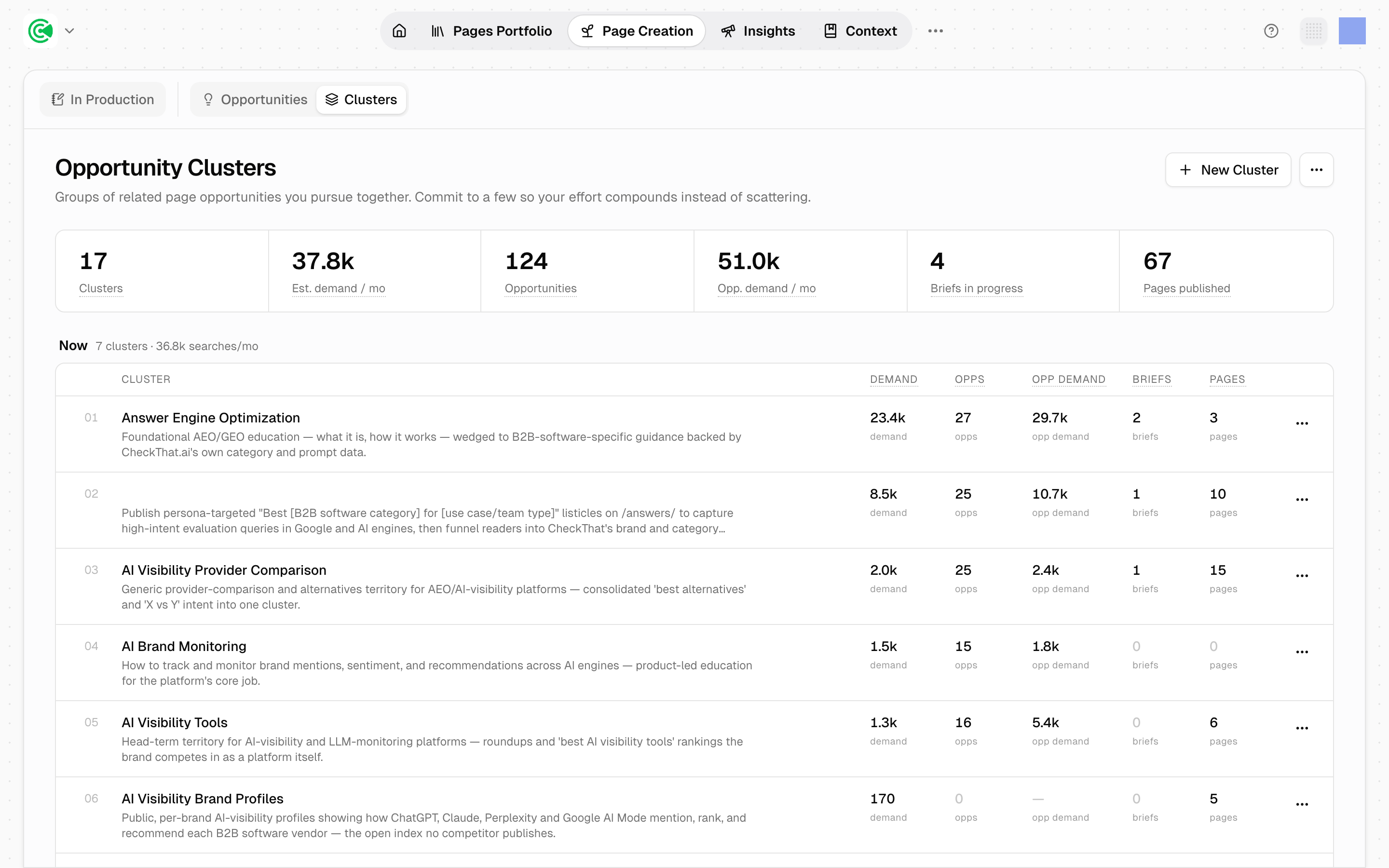
A cluster is a territory you've decided to own: a group of related opportunities (pages worth writing or rewriting, proposed by an agent) built around one topic and worked as a set. Clusters are where strategy actually enters the product: Topics, the map of what your market asks about, shows you the demand, and a cluster is you committing to answer a coherent slice of it.
It's also the default path into production. Most work reaches a brief, the plan for one page, through a cluster rather than through a single opportunity picked off a list.
Deleting a cluster removes the territory itself: its topics and their questions. Opportunities the cluster already produced survive, losing only the cluster link. A cluster you might come back to belongs in Later rather than the bin.
Doing this rather than looking it up? The Tutorial walks this screen step by step in 4.1 · Align on strategy.
Reference
The header summarizes the whole set: total clusters, estimated monthly demand, opportunity count, opportunity demand, briefs in progress, and pages published.
Each cluster row carries:
| Column | What it means |
|---|---|
| Cluster | A rank number, the name, and the territory description |
| Demand | Estimated monthly search demand across the cluster's topics |
| Opps | Opportunities generated inside it |
| Opp demand | Monthly demand represented by those opportunities |
| Briefs | Briefs currently in production |
| Pages | Pages already published into the territory |
Opportunity demand often exceeds cluster demand. That isn't an error: opportunities include long-tail queries beyond the topics that defined the cluster.
Each band is its own group, with its own cluster count and demand subtotal. Empty bands are hidden, so a workspace (everything GrowthOS knows and does for one brand) using only Now and Next looks like a 2-band screen.
Row numbers are position within a band, not priority. Rows sort by demand descending, then alphabetically. Priority lives in the band header: the number beside a cluster says nothing about how it ranks against the one below it.
The funnel columns are a diagnostic. High demand with many opportunities and no briefs is a cluster you committed to and never started. Many pages with low demand is one you over-served. Reading across a row is faster than any report.