Taxonomy
Your own classification of your content, and the descriptions agents classify against.
App route: /brand_context/taxonomy_categories
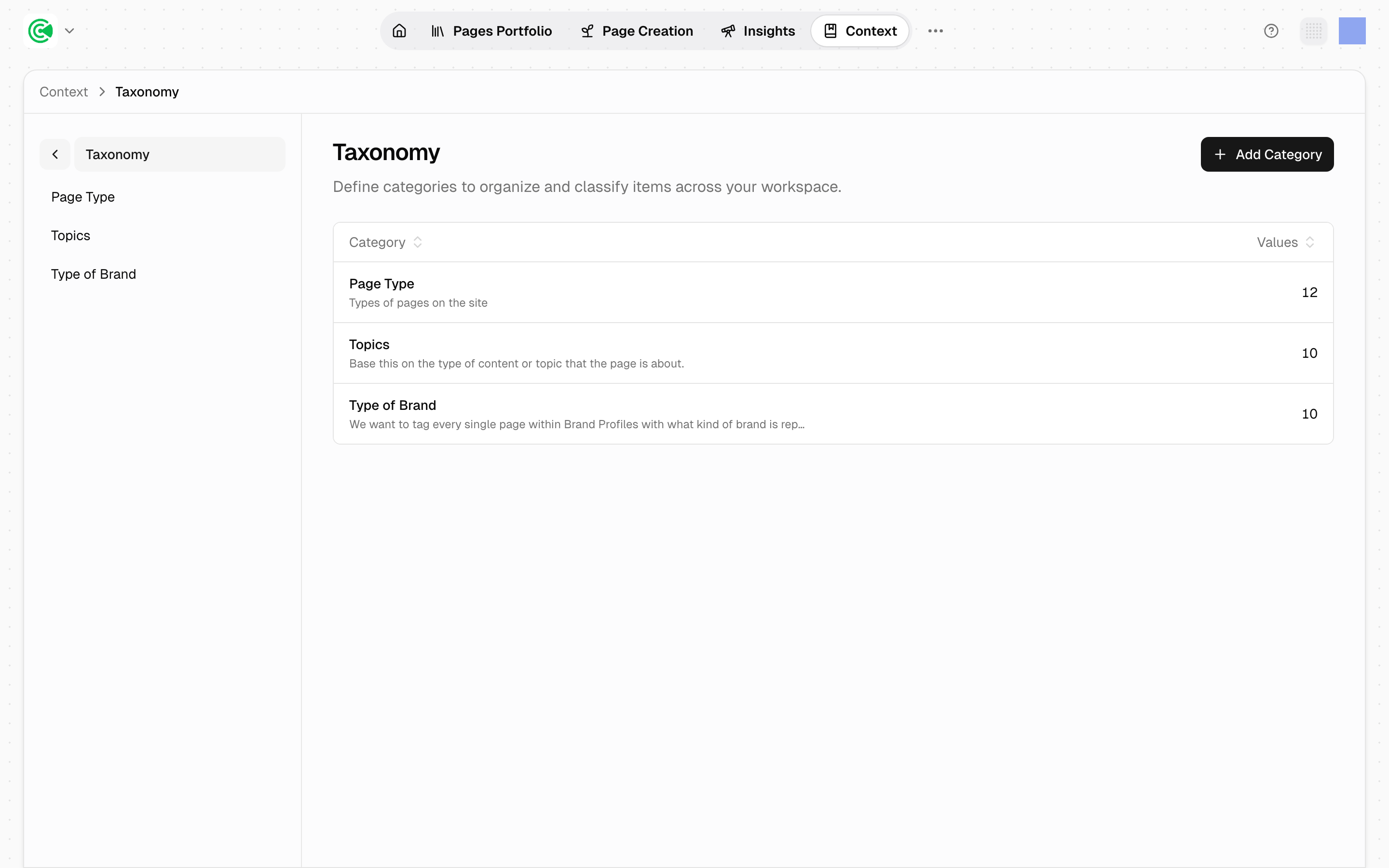
Taxonomy is how you classify your own content. A category is a dimension (Funnel Stage, Product, Industry), and its values are the options within it. Tag pages against those values and the portfolio becomes sliceable along axes that mean something to your business rather than only the ones GrowthOS ships. The descriptions you write here are what agents (the automated workers that research, draft and score) classify every page against, so a vague description spreads vague tags across the whole portfolio.
The categories here are yours. The system-managed Topic taxonomy is deliberately not shown on this screen; it's derived from research and lives on Topics.
Doing this rather than looking it up? The Tutorial walks this screen step by step in 3.3 · Editing and versioning.
Reference
The screen lists your user-managed categories with a count of the values inside each.
| Concept | What it is |
|---|---|
| Category | A classification dimension: the question you're asking about a page |
| Value | One answer within that dimension. Unique per category |
| Description | Required on both, up to 2,000 characters. This is the text agents classify against |
A category is not the same as a page's type. Page type is a fixed property GrowthOS derives during analysis; a taxonomy category is a dimension you invented. They coexist, and both can be grouped on.
Generation is a starting point, not a routine
Taxonomy generation exists to give a new workspace a first set of categories to react to. It is a bootstrap step, run once during setup. After that, categories are designed by hand.
That distinction matters because regenerating is destructive rather than additive. The generator deletes every user-managed category before it runs and again after, so anything hand-authored is lost, not merged. Once you have shaped the taxonomy yourself, regenerating throws that work away and replaces it with a fresh proposal.
Regenerating discards hand-authored categories
Regeneration rebuilds from scratch. Every user-managed category and value is deleted first, including ones you added or edited, and nothing is merged forward. Treat it as a setup-time action. To change an established taxonomy, edit the categories directly.