Page detail
Page detail is the full record for one URL: scorecards, traffic and visibility history, intent and classification.
App route: /pages/{id}
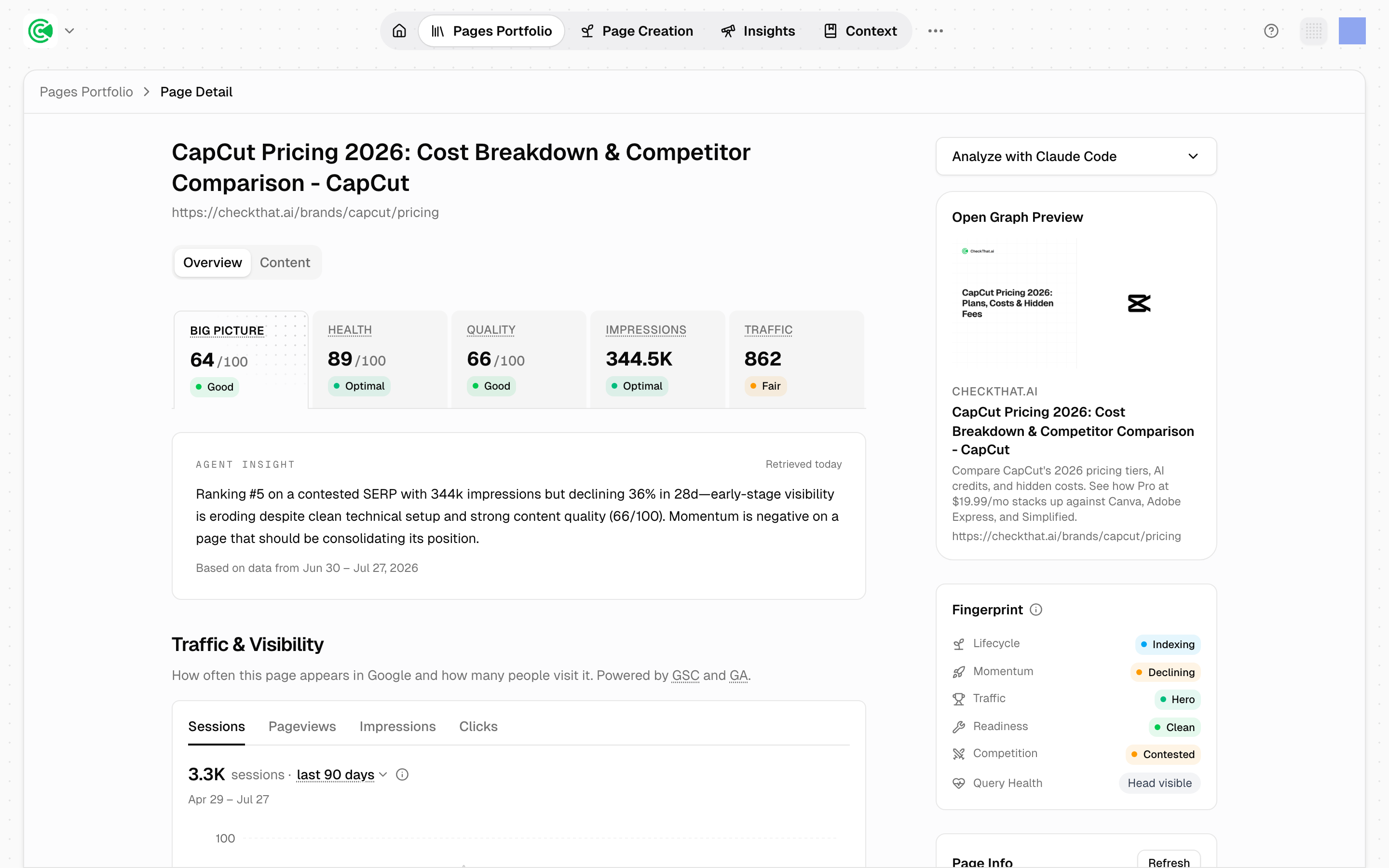
Page detail is the full record for one URL: the scorecards, the traffic and visibility history, what the page is trying to answer, and how it's classified. It's where a flag from the Pages Portfolio, the scored list of every URL on your site, turns into a decision about what to actually change.
Doing this rather than looking it up? The Tutorial walks this screen step by step in 6.2 · Run the loop yourself.
Reference
The scorecards:
| Tile | What it is |
|---|---|
| Big Picture | The roll-up, 0–100, with a label |
| Health | Technical quality, 0–100 |
| Coverage | Question-based score for live pages; rolling out per workspace |
| Impressions | Impressions earned against potential |
| Traffic | Traffic earned against potential |
Big Picture is an average of up to 4 pillars (Health, Coverage, impressions capture and traffic capture), each weighted equally, and it needs at least 2 of them before it will score at all. Its labels: Optimal (67+), Good (34+), Fair (1+), Needs Work, and Incomplete when there isn't enough data to judge.
Only 2 of those pillars are potential-relative. Impressions and traffic capture are measured against the page's own keyword volume; Health and Quality enter as absolute scores.
Coverage is measured against the question the page targets: whether the page answers it, covers what readers ask next, covers what the top pages cover, and adds what the top pages leave out.
Health decomposes into 13 categories across 77 checks: see Site Sync, the connection that keeps GrowthOS's copy of your site current, for the full list.