In Production
The board that moves a brief from Briefing through Writing, Editing and Reviewing to Ready.
App route: /page_briefs
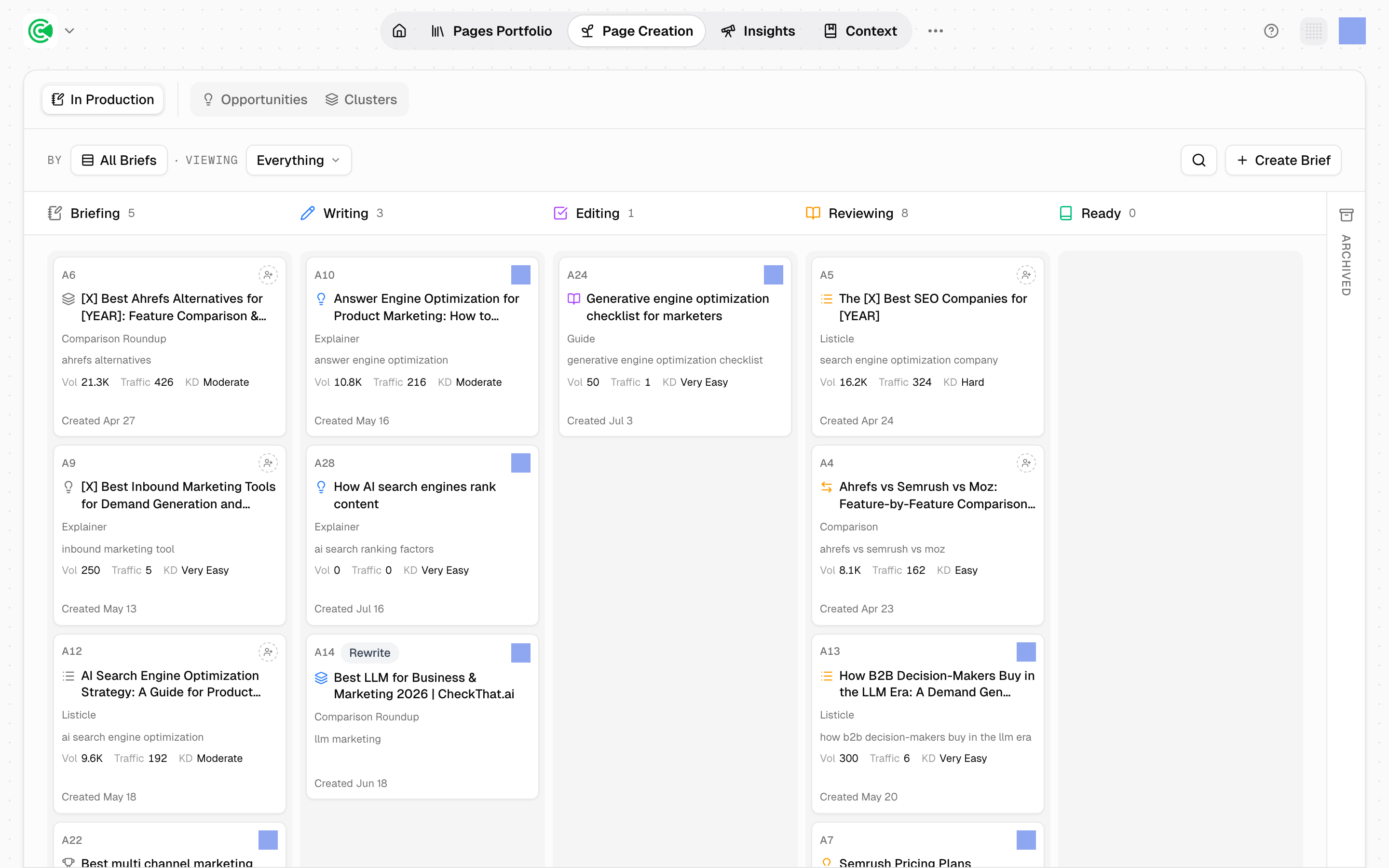
In Production is the board where briefs, the plans a page is written from, become pages. Each card is one piece of work moving left to right, with an owner and a due date at every stage.
Doing this rather than looking it up? The Tutorial walks this screen step by step in 5.1 · Four ways to start a page.
Reference
7 board columns, in order:
Briefing → Writing → Editing → Reviewing → Ready → Published → Archived
Editing comes before Reviewing. Editing is your own polish pass on the draft; Reviewing is where you invite other people to comment. Getting that order the wrong way round is a common misreading: the board is arranged so your pass happens first and other people see something you already stand behind.
Published and Archived are collapsed columns at the end of the board that expand in place, with Published open by default. You can restore an archived brief to the column it came from.
Brief modes: creation (new page), rewrite (tied to an existing URL), and import (a draft you supply). The product term is rewrite, not "refresh".
5 inputs make a brief dispatchable: title, primary keyword, search intent, personas (the buyers your content speaks to), and a content template. Accepting an opportunity, a candidate page an agent proposed, fills most of them in.
A rewrite keeps the original URL. The brief attaches to the live page and pre-fills its slug, so the page's history stays intact rather than a near-duplicate appearing alongside it.
Ready is not published. Ready means the work is finished and the metadata is set. Publishing is a separate, deliberate act.